
This Cummins DPF fault 3376 document is a troubleshooting manual for an incomplete aftertreatment diesel particulate filter regeneration condition. It explains how the ECM uses the DPF differential pressure sensor to estimate soot load after an active regeneration. The procedure is written for technicians using INSITE™ electronic service tool during aftertreatment diagnosis.
Official Cummins DPF fault 3376 document details
| Brand | Cummins |
|---|---|
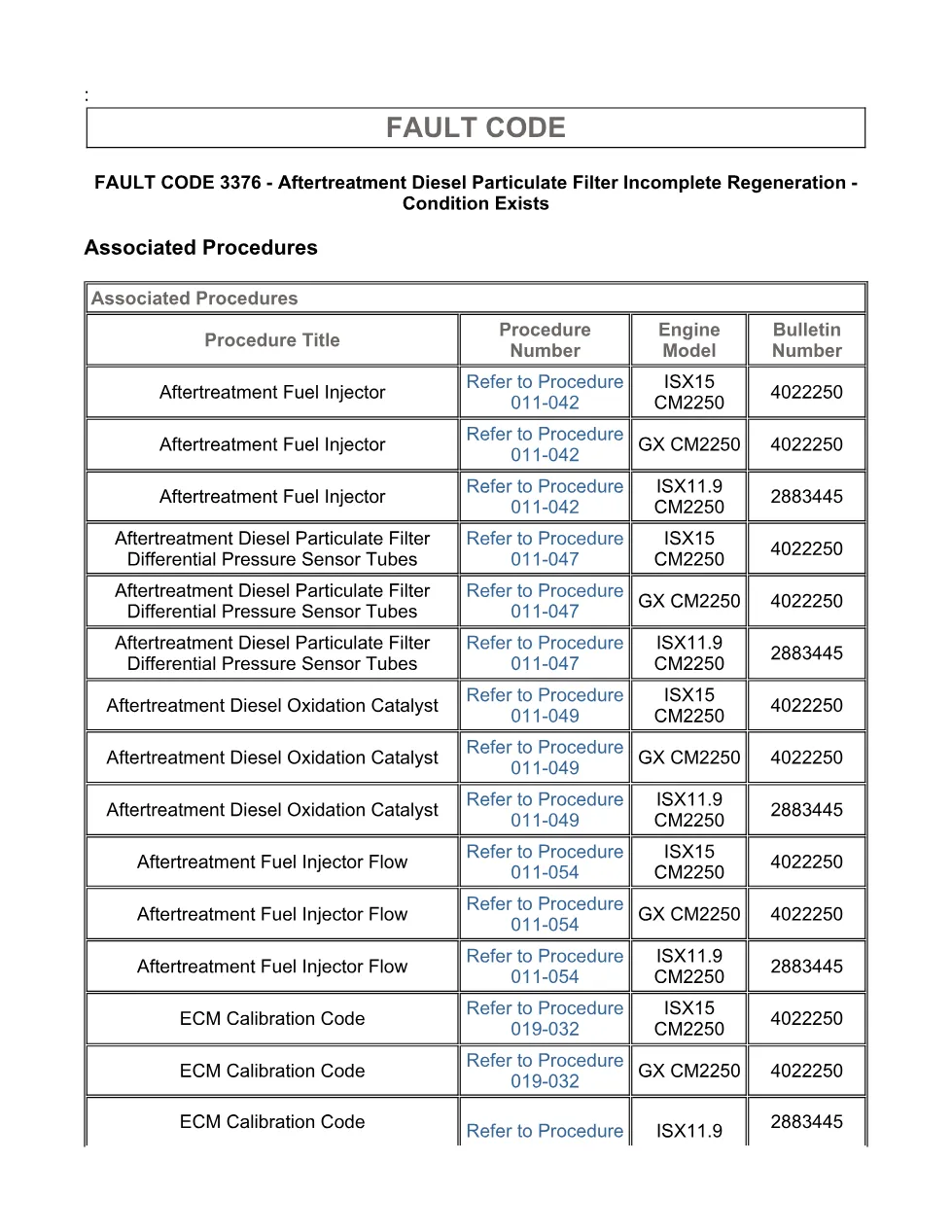
| Model coverage | ISX11.9 CM2250, ISX15 CM2250, GX CM2250 shown in the associated procedures table |
| System/Group | Aftertreatment diesel particulate filter incomplete regeneration; DTCs |
| Publication no. | 4022250 and 2883445 appear in the associated procedures table |
| Year/Revision | Last Modified: 07-Jan-2011; troubleshooting section Last Modified: 08-Dec-2010 |
| Pages | 12 |
| File size | 0.2 MB |
| Format | |
| Language | English |
Document table of contents
- Overview
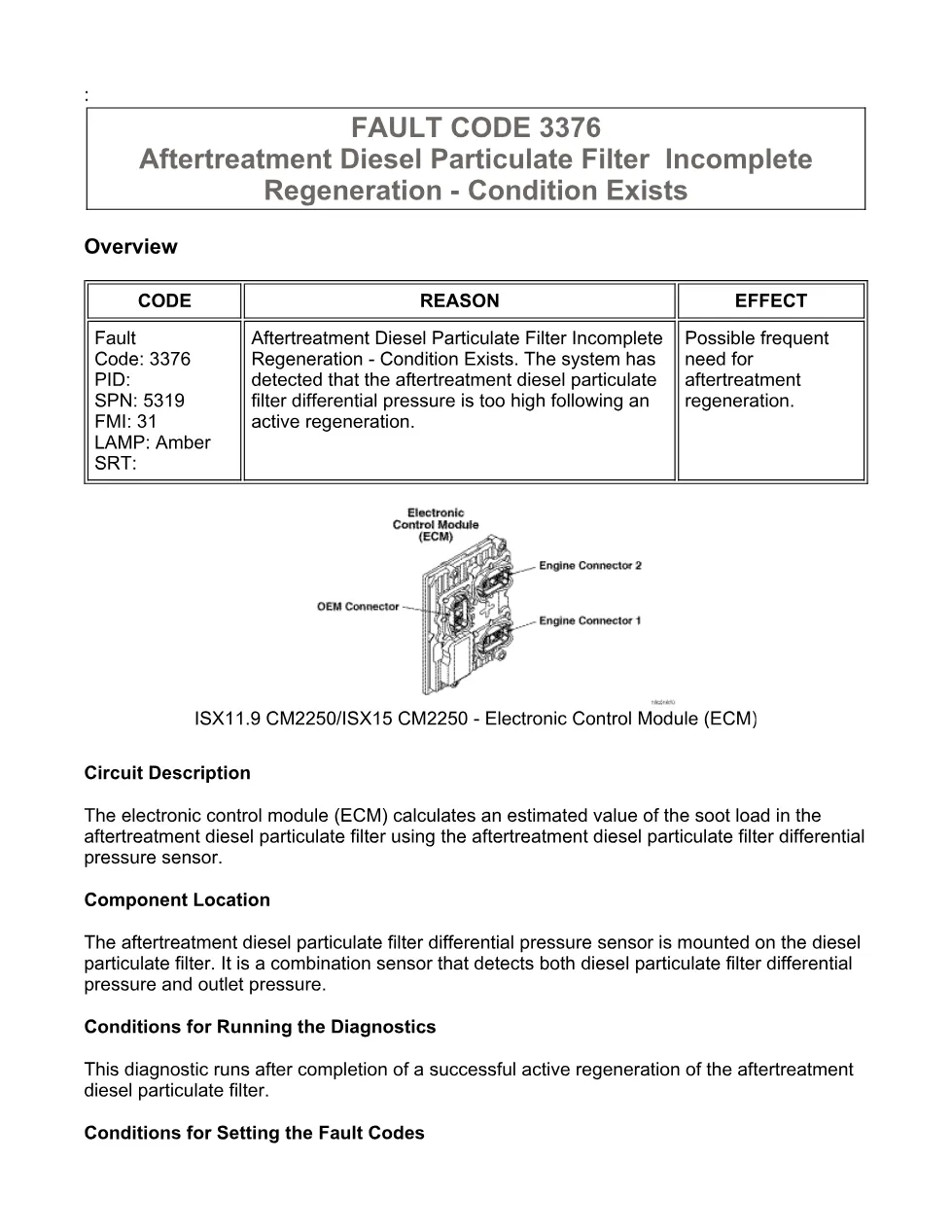
- Circuit Description
- Component Location
- Conditions for Running the Diagnostics
- Conditions for Setting the Fault Codes
- Action Taken When the Fault Code is Active
- Conditions for Clearing the Fault Code
- Shop Talk
- Associated Procedures
- Troubleshooting Steps
- Guided Step 1 – Check the fault codes.
- Guided Step 2 – Inspect the aftertreatment diesel particulate filter differential pressure sensor.
- Guided Step 3 – Check the aftertreatment fuel injector.
- Guided Step 4 – Inspect the exhaust.
- Guided Step 5 – Check ECM calibration and clear fault codes.
Applicable truck models
The extract identifies Cummins ISX11.9 CM2250, ISX15 CM2250, and GX CM2250 engine coverage in the associated procedure references. Although the file information labels the group as ISB6.7 CM2250 (2010-12) / DTCs, the visible procedure pages repeatedly reference ISX11.9 CM2250 and ISX15 CM2250, so technicians should verify engine family and ECM calibration before applying the steps. For manufacturer information, visit Cummins official website.
Who needs this Cummins DPF fault 3376 manual
Workshop owners, diesel mechanics, and aftertreatment specialists need this manual when an amber CHECK ENGINE lamp or MIL is linked to SPN 5319 FMI 31 after an active regeneration. It supports diagnosis of high post-regeneration DPF differential pressure, repeated regeneration demand, aftertreatment fuel injector flow, DPF pressure sensor tubes, diesel oxidation catalyst soot blockage, exhaust smoke, VGT or EGR related faults, and ECM calibration status.
The troubleshooting path starts by confirming whether Fault Code 3376 is active, then checks related fault codes 1879, 1881, or 1883 and any VGT or EGR system faults. It then uses key ON engine OFF readings for the aftertreatment diesel particulate filter differential pressure sensor, with the listed reference of 0 ± 3 kPa or 0 ± 0.89 inHg. Later guided steps inspect pressure sensor tubes for blockage, kinks, or leakage; perform the aftertreatment fuel injector flow test; clean or replace the aftertreatment injector as directed; inspect the diesel oxidation catalyst for cells more than 50 percent blocked; and evaluate excessive black smoke during snap acceleration or high idle.
The final checks cover ECM calibration code and revision number in INSITE™ electronic service tool, followed by conditions for clearing the fault. The fault changes to inactive after the diagnostic runs and passes, and OBD applications turn off the MIL after three consecutive passing trips. Full PDF available in the DiagTechPro manuals library, free account required to download.
Related manuals library
Sản phẩm liên quan cho hãng này
Cùng brand theo taxonomy hiện có trong catalog WooCommerce.

Cummins INSITE 9.3 – The Essential Diagnostic Tool for Cummins Engines

Cummins Calterm Version 5.16 – Advanced ECM Control and Precision Tuning for Cummins Engines

Cummins InCal CE – The Calibration and Configuration Tool for Cummins Engines


