
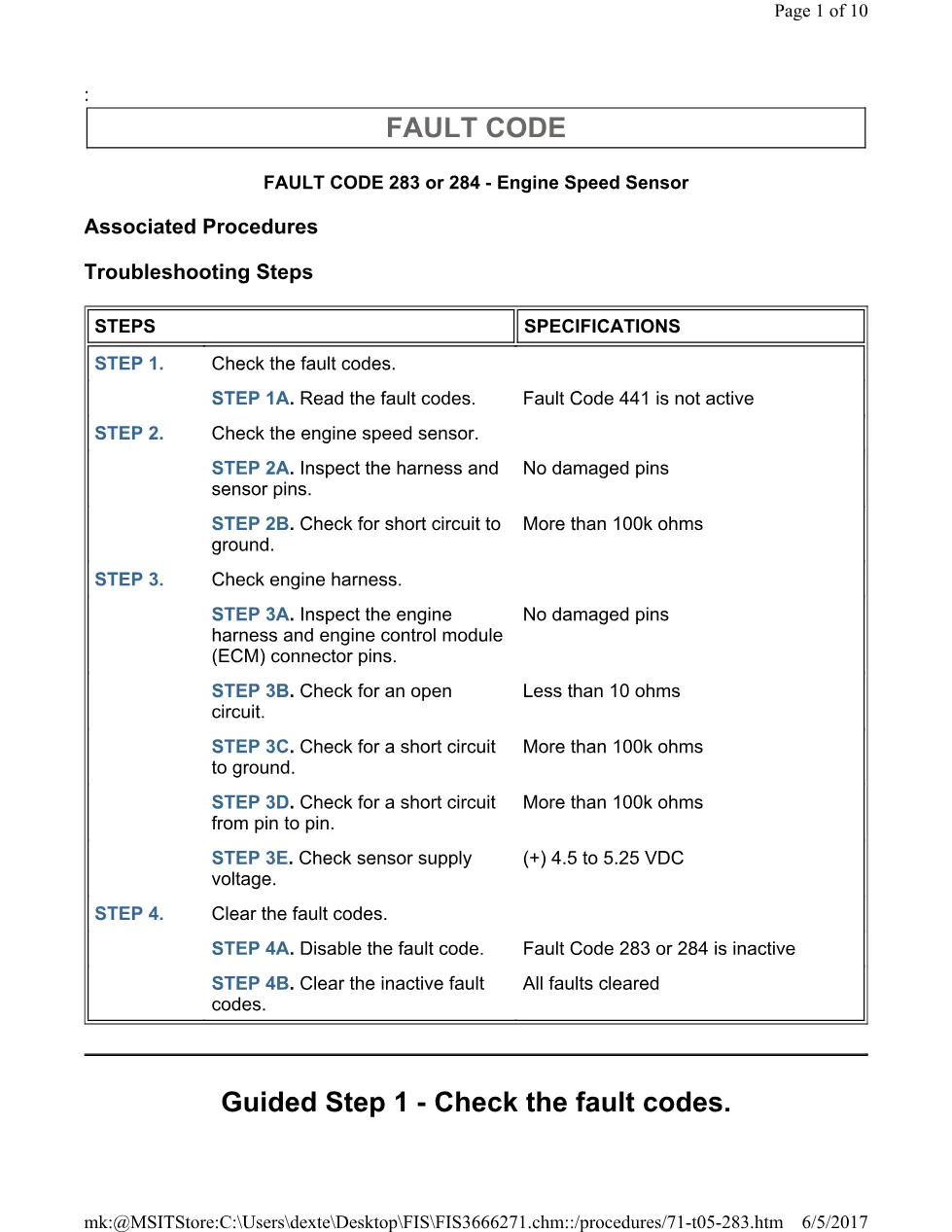
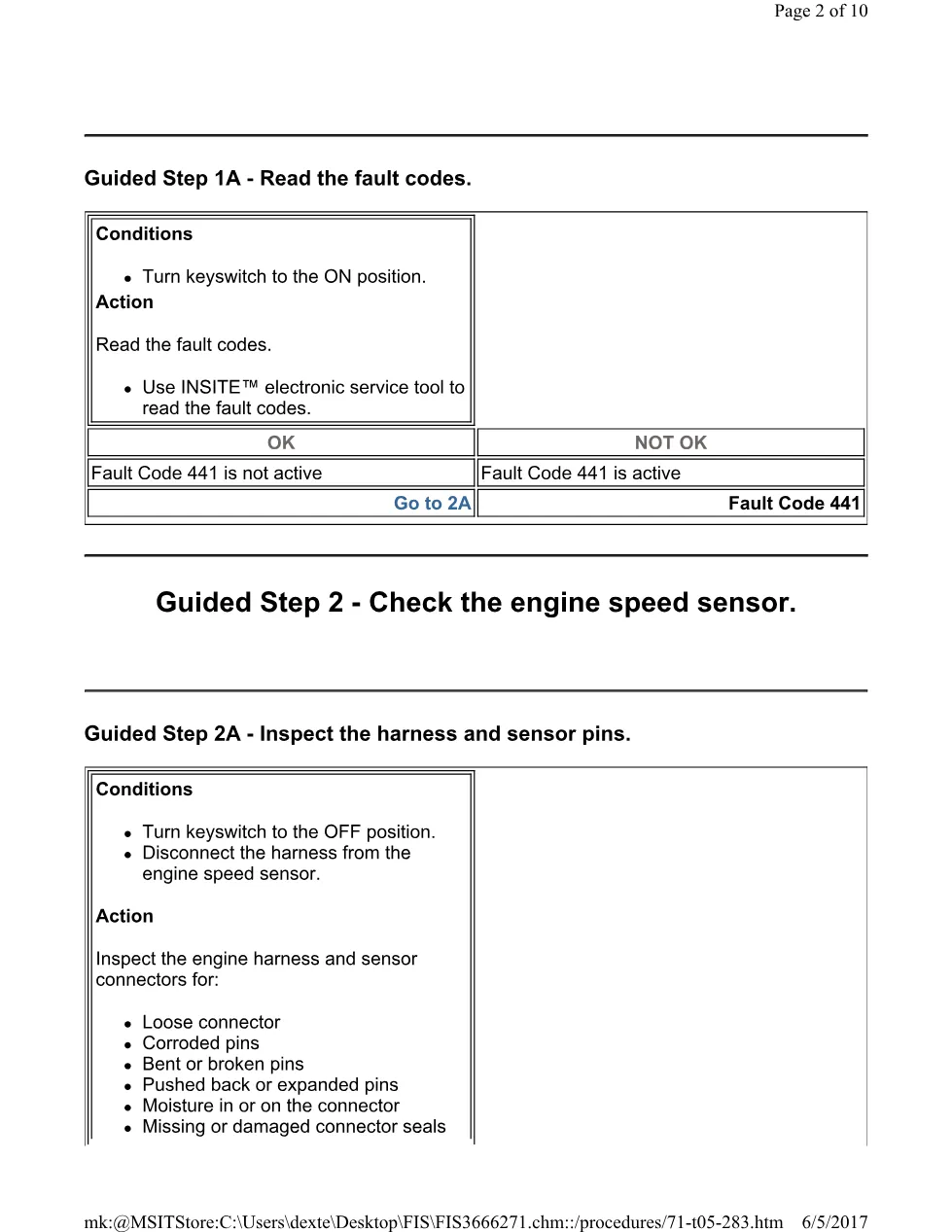
Cummins CM554 283 TS is a 10-page English PDF in the DiagTechPro truck-manual library. The file is titled 283(TS).pdf. The actual source extract begins with : FAULT CODE 283 or 284 – Engine Speed Sensor Associated Procedures Troubleshooting Steps Guided Step 1 – Check the fault codes. FAULT CODE STEPS SPECIFICATIONS STEP 1. Check the fault codes. STEP 1A. Read the fault codes. Fault Code 441 is not active STEP 2. Check the engine speed sensor. STEP 2A.. This PDF document is an official document and a diagnostic reference. Use its figures, warnings, values, and decision paths from the complete source rather than applying assumptions from another engine, calibration, or procedure. Before beginning work, confirm that the vehicle, engine serial information, installed components, and document revision match the equipment being serviced.
Official Cummins CM554 283 TS document details
| Brand | Cummins |
|---|---|
| Model coverage | ISL CM554 (1998-03) |
| System/Group | ISL CM554 (1998-03) |
| Publication no. | Not stated in the extract |
| Year/Revision | Not stated in the extract |
| Pages | 10 |
| File size | 0.4 MB |
| Format | |
| Language | English |
Document table of contents
- Procedures Troubleshooting Steps Guided Step 1 – Check the fault codes
- procedures/71-t05-283
- service tool to read the fault codes
- procedures/71-t05-283
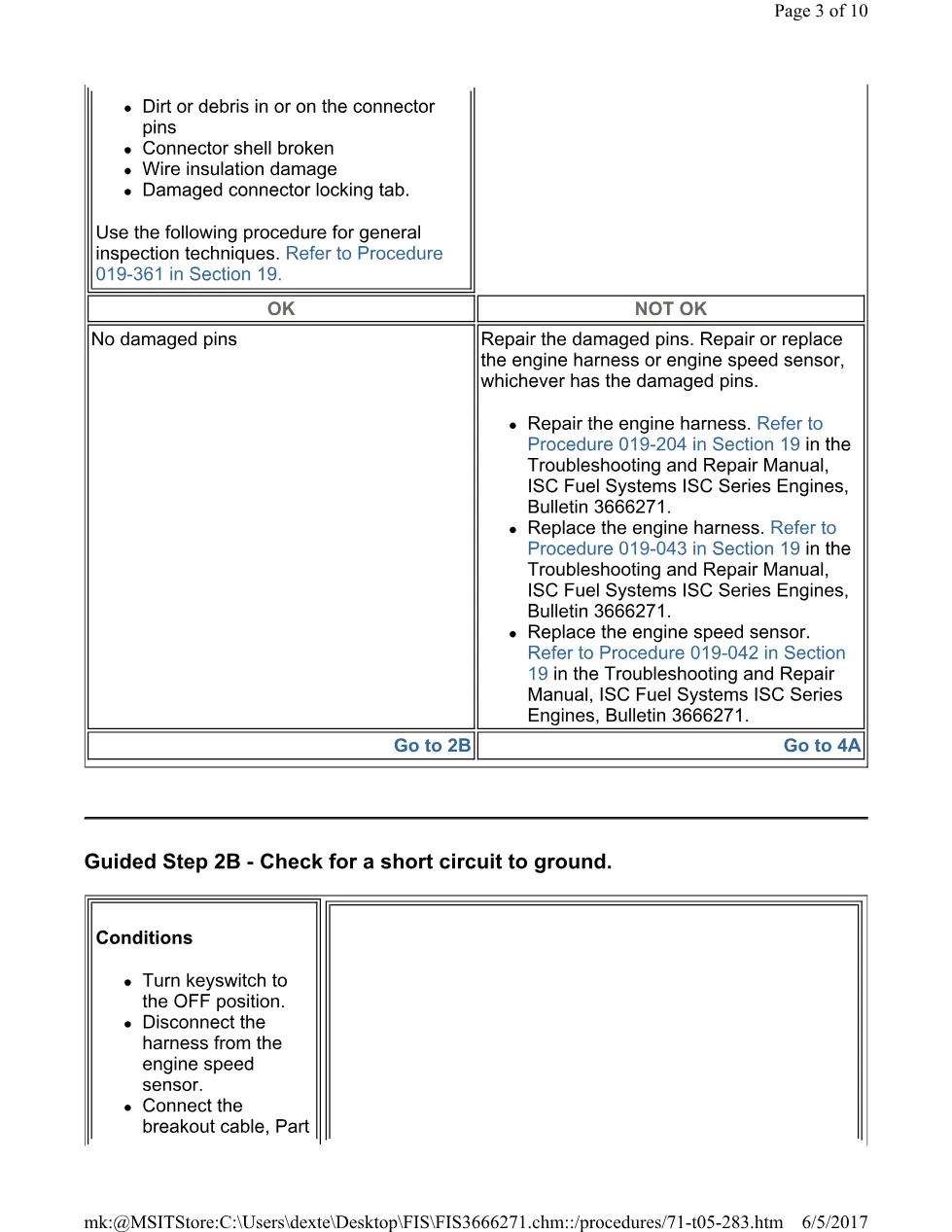
- procedure for general inspection techniques
Applicable truck models
The model and system scope is identified by the source file and library group. Confirm the installed engine, emissions configuration, and electronic control system before applying a diagnostic or service step. Read referenced figures, warnings, and decision points with the relevant procedure. Where the extract describes a test, follow the stated order and values from the complete PDF. Keep repair work within the manufacturer procedure. See the Cummins official website for current product support information.
Who needs this Cummins CM554 283 TS manual
Workshop technicians and fleet maintenance staff can use this document to identify the correct reference material before diagnosis or repair. Record vehicle configuration, active code information, and the result of each stated check. Continue through the source procedure in sequence, then use its specified verification method after a repair. The library page is a factual introduction to the PDF and should be read with complete manufacturer material.
The full PDF is available in the DiagTechPro manuals library; a free account is required to download it.
Related manuals library
Sản phẩm liên quan cho hãng này
Cùng brand theo taxonomy hiện có trong catalog WooCommerce.

Cummins INSITE 9.3 – The Essential Diagnostic Tool for Cummins Engines

Cummins Calterm Version 5.16 – Advanced ECM Control and Precision Tuning for Cummins Engines

Cummins InCal CE – The Calibration and Configuration Tool for Cummins Engines


