
This Cummins 3251 troubleshooting manual is a fault code document for diagnosing aftertreatment diesel oxidation catalyst intake temperature above normal range. It covers Fault Code 3251, PID S326, SPN 475, FMI 16, red STOP ENGINE lamp behavior, sensor logic, likely causes, guided checks, and clearing conditions for the ECM.
Official Cummins 3251 troubleshooting manual document details
| Brand | Cummins |
|---|---|
| Model coverage | ISB6.7 CM2250, ISC8.3 and ISL9 CM2250, ISX11.9 CM2250, ISX15 CM2250, GX CM2250 |
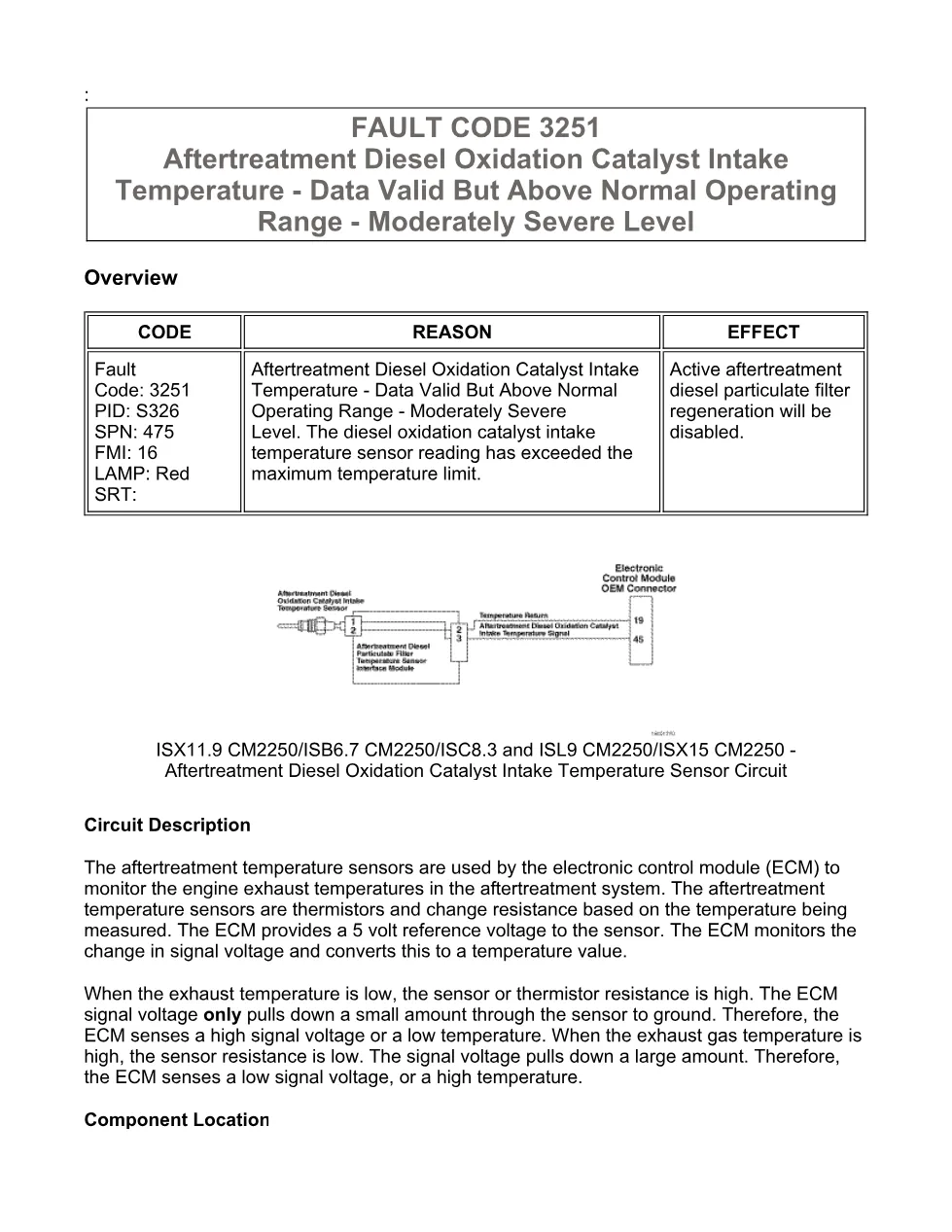
| System/Group | ISB6.7 CM2250 (2010-12) / DTCs; aftertreatment diesel oxidation catalyst intake temperature sensor circuit |
| Publication no. | Not specified in the extract |
| Year/Revision | Last Modified: 11-Jun-2010; troubleshooting section Last Modified: 06-Dec-2010 |
| Pages | 13 |
| File size | 0.2 MB |
| Format | |
| Language | English |
Document table of contents
- Overview
- Circuit Description
- Component Location
- FAULT CODE 3251 – Aftertreatment Diesel Oxidation Catalyst Intake Temperature – Data Valid But Above Normal Operating Range – Moderately Severe Level
- Conditions for Running the Diagnostics
- Conditions for Setting the Fault Codes
- Action Taken When the Fault Code is Active
- Conditions for Clearing the Fault Code
- Shop Talk
- Associated Procedures
- Guided Step 1 – Check the aftertreatment system.
- Guided Step 1A – Check for active fault codes.
- Guided Step 1B – Monitor the aftertreatment exhaust gas temperature sensors.
- Guided Step 3 – Check the fuel system.
- Guided Step 3A – Check for an injector misfire.
- Guided Step 4 – Check the turbocharger outlet.
- Guided Step 6 – Check ECM calibration and clear fault codes.
- Guided Step 6A – Check if an ECM calibration update is available.
Applicable truck models
This file applies to Cummins CM2250 engine platforms listed in the extract: ISB6.7 CM2250, ISC8.3 and ISL9 CM2250, ISX11.9 CM2250, ISX15 CM2250, and GX CM2250. The procedure addresses the aftertreatment diesel oxidation catalyst intake temperature sensor located between the turbocharger outlet and the intake of the exhaust aftertreatment, with OEM service manual reference required for component location and aftertreatment removal inspection. See the manufacturer at Cummins official website.
Who needs this Cummins 3251 troubleshooting manual manual
Workshop technicians, fleet mechanics, and diagnostic tool users need this Cummins 3251 troubleshooting manual when the ECM logs a high aftertreatment diesel oxidation catalyst intake temperature and disables active or stationary regeneration. It is useful for checking active fault codes, monitoring aftertreatment exhaust gas temperature sensors with INSITE™ electronic service tool, inspecting air leaks, isolating injector misfire, checking for diesel fuel or engine oil at the turbocharger exhaust outlet, testing an aftertreatment fuel injector when equipped, and verifying ECM calibration.
The full PDF is available in the DiagTechPro manuals library, free account required to download.
Related manuals library
Sản phẩm liên quan cho hãng này
Cùng brand theo taxonomy hiện có trong catalog WooCommerce.

Cummins INSITE 9.3 – The Essential Diagnostic Tool for Cummins Engines

Cummins Calterm Version 5.16 – Advanced ECM Control and Precision Tuning for Cummins Engines

Cummins InCal CE – The Calibration and Configuration Tool for Cummins Engines


