
This Cummins fault 3526 document is a troubleshooting manual for Wheel-Based Vehicle Speed – Abnormal Update Rate on CM2250 engines. It explains how the engine ECM receives multiplexed vehicle speed data over the SAE J1939 data link and how technicians should diagnose missing or invalid update rates. The file is Code 3526.pdf, a 14-page English PDF for service use.
Official Cummins fault 3526 document details
| Brand | Cummins |
|---|---|
| Model coverage | ISB6.7 CM2250; also referenced: ISX11.9 CM2250, ISC8.3 and ISL9 CM2250, ISX15 CM2250, GX CM2250, QSL9 CM2250, QSB6.7 CM2250 |
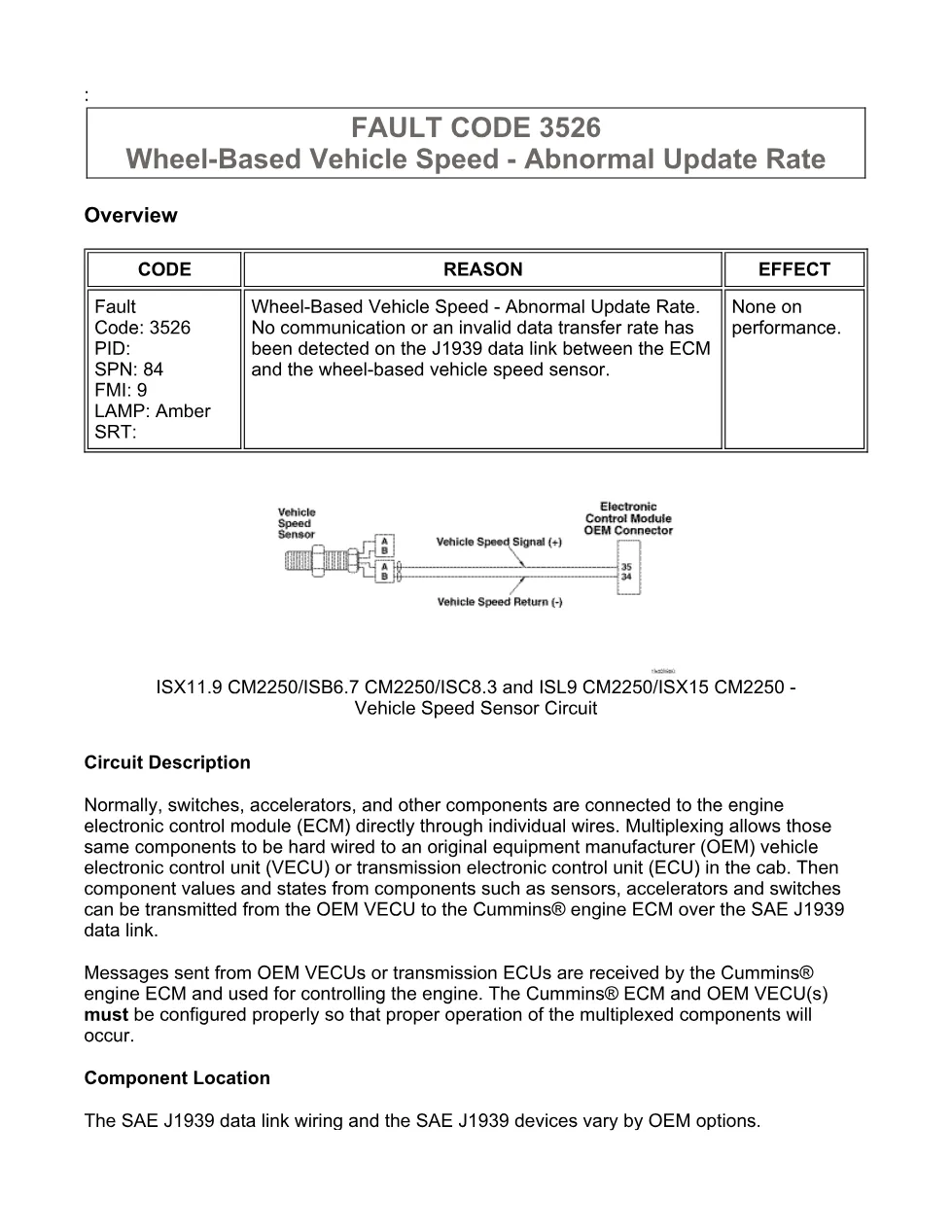
| System/Group | ISB6.7 CM2250 (2010-12) / DTCs; Vehicle Speed Sensor Circuit |
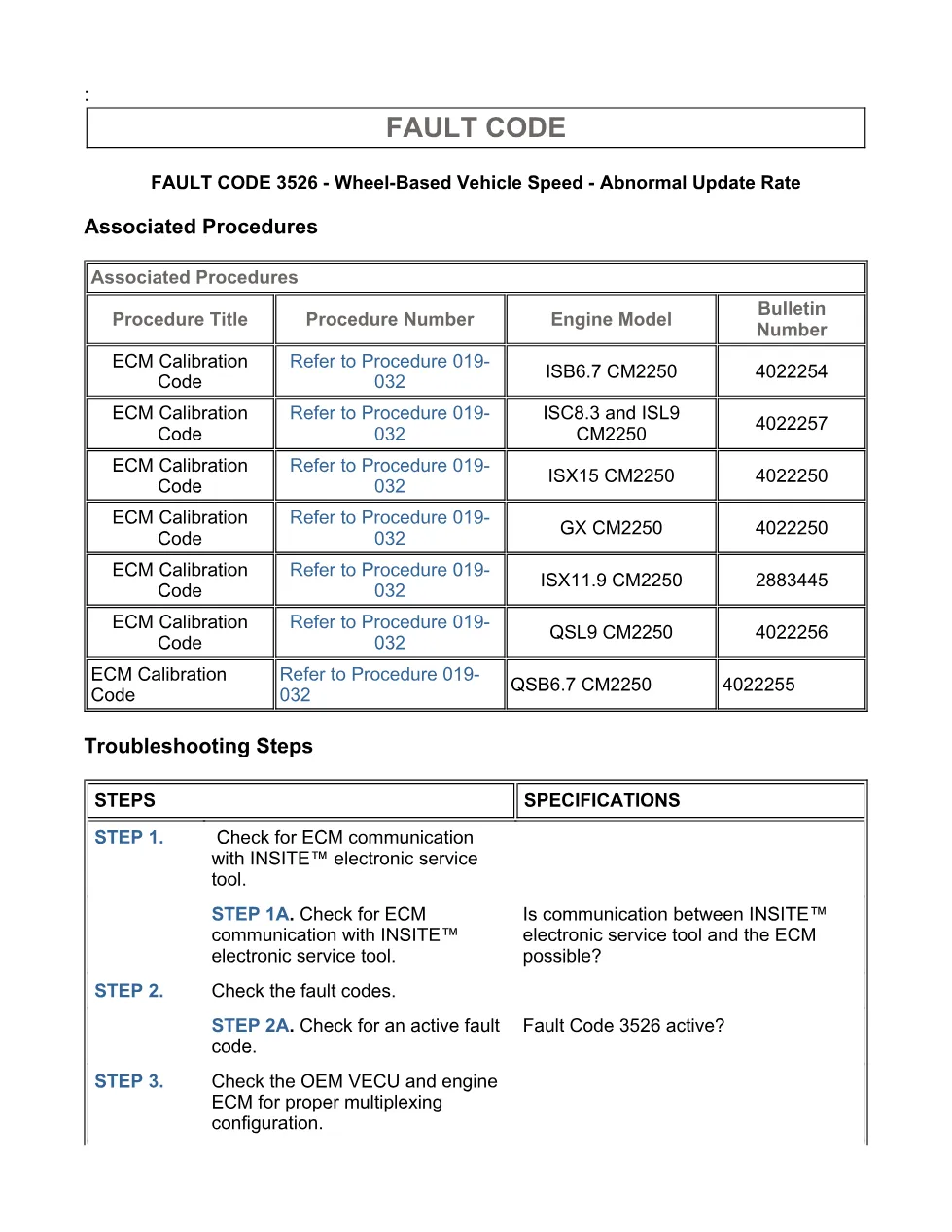
| Publication no. | Associated procedure bulletin numbers shown: 4022254, 4022257, 4022250, 2883445, 4022256, 4022255 |
| Year/Revision | Last Modified: 11-Jun-2010; troubleshooting section Last Modified: 06-Dec-2010 |
| Pages | 14 |
| File size | 0.3 MB |
| Format | |
| Language | English |
Document table of contents
- Overview
- Circuit Description
- Component Location
- FAULT CODE 3526
- Conditions for Running the Diagnostics
- Conditions for Setting the Fault Codes
- Action Taken When the Fault Code is Active
- Conditions for Clearing the Fault Code
- Shop Talk
- Associated Procedures
- Troubleshooting Steps
- Guided Step 1 – Check for ECM communication with INSITE™ electronic service tool.
- Guided Step 3 – Check the OEM VECU and engine ECM for proper multiplexing configuration.
- Guided Step 4B – Check for an open or short circuit in the J1939 data link harness.
- Guided Step 5B – Check for an open or short circuit in the ECM J1939 data link harness.
- Guided Step 5D – Check for an inactive fault code.
Applicable truck models
This procedure applies to Cummins CM2250 engine platforms listed in the document, including ISB6.7 CM2250, ISX11.9 CM2250, ISC8.3 and ISL9 CM2250, ISX15 CM2250, GX CM2250, QSL9 CM2250, and QSB6.7 CM2250. The fault is defined as SPN 84 FMI 9, Wheel-Based Vehicle Speed – Abnormal Update Rate, with an amber lamp and no stated performance effect. Vehicle installation, SAE J1939 data link wiring, OEM VECU devices, transmission ECU options, and source addresses vary by OEM configuration, so the procedure directs the technician to compare ECM multiplexing configuration with the OEM VECU multiplexing configuration. For official product and support information, visit Cummins official website.
Who needs this Cummins fault 3526 manual
Workshop owners, diesel mechanics, and fleet diagnostic technicians need this Cummins fault 3526 manual when a CM2250 ECM does not receive the expected multiplexed wheel-based vehicle speed message. It is useful for checking INSITE™ communication, active and inactive fault status, J1939 resistance values of 50 ohms to 70 ohms, pin-to-pin shorts above 100k ohms, connector damage, harness faults, and ECM calibration revision status.
The procedure also notes that possible causes include incorrect component enables, wrong OEM VECU source address, an OEM VECU not transmitting the multiplexed component message, a bad J1939 data link connection, a bad connection between the component and the OEM VECU, a bad OEM VECU, or a bad Cummins® ECM. Full PDF available in the DiagTechPro manuals library, free account required to download.
Related manuals library
Sản phẩm liên quan cho hãng này
Cùng brand theo taxonomy hiện có trong catalog WooCommerce.

Cummins INSITE 9.3 – The Essential Diagnostic Tool for Cummins Engines

Cummins Calterm Version 5.16 – Advanced ECM Control and Precision Tuning for Cummins Engines

Cummins InCal CE – The Calibration and Configuration Tool for Cummins Engines


