
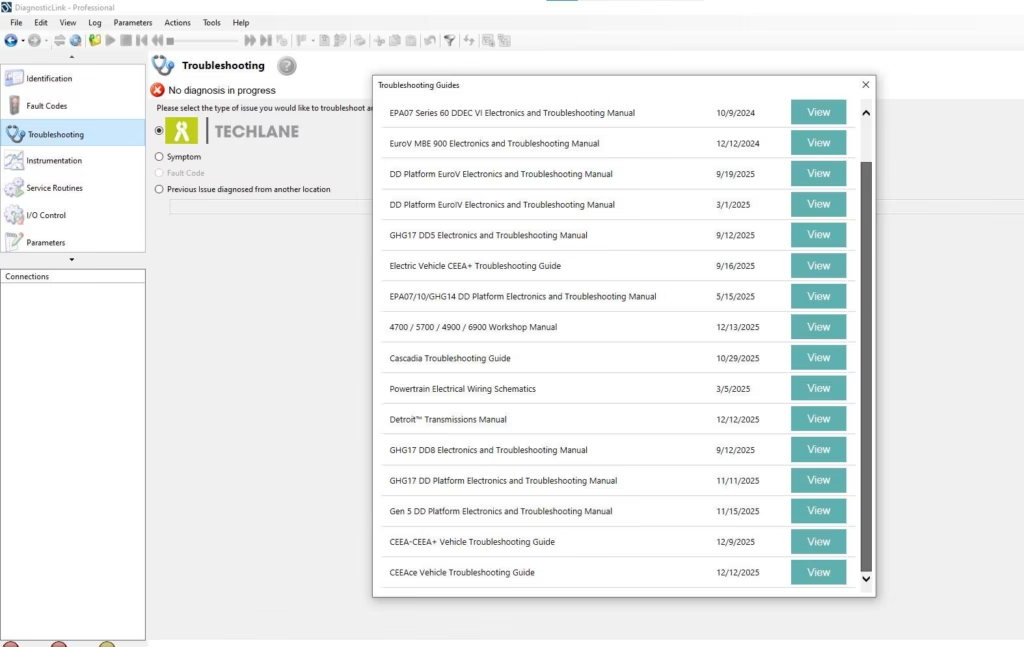
In real diagnostic environments, connection failures are one of the most common issues technicians face. When DiagnosticLink 8.23 fails to connect to a Detroit Diesel ECU, the root cause is often unrelated to the engine itself. A systematic checklist helps eliminate variables and prevents unnecessary downtime during diagnostics.
This checklist is based on practical troubleshooting experience and focuses on identifying common causes step by step.
1. Verify System Readiness Before Connection
Before launching any diagnostic session, confirm that the operating system is fully prepared. DiagnosticLink 8.23 depends heavily on system stability. Background updates, system restarts pending installation, or incomplete driver initialization can interfere with ECU communication.
Technicians should ensure the system has been restarted recently and no conflicting applications are running in the background. Skipping this step often leads to false assumptions about ECU faults.
2. Confirm Diagnostic Adapter Recognition
One of the most frequent causes of connection failure is adapter misrecognition. DiagnosticLink 8.23 requires the diagnostic adapter to be correctly detected by the system before any ECU communication can occur.
Check whether the adapter appears consistently in the system device list. Intermittent recognition often indicates driver conflicts or unstable USB ports. Using the same port consistently reduces detection issues during repeated diagnostic sessions.
3. Inspect Physical Connection Points
Physical connections are often overlooked during troubleshooting. Before assuming software or ECU problems, inspect the diagnostic cable, vehicle connector, and adapter interface.
Loose connections or worn connectors can interrupt communication even when DiagnosticLink 8.23 appears to function normally. A brief physical inspection can save significant diagnostic time.
4. Validate Power and Ignition State
ECU communication depends on proper vehicle power conditions. DiagnosticLink 8.23 cannot establish a connection if the ignition state does not match the diagnostic requirements.
Ensure the ignition is in the correct position and the vehicle battery voltage is stable. Low voltage conditions often result in failed or unstable ECU connections without clear error messages.
5. Check Communication Protocol Selection
Incorrect protocol selection can prevent DiagnosticLink 8.23 from detecting the ECU. When multiple protocols are available, selecting the wrong one may result in a failed connection attempt.
Verifying protocol settings before initiating communication helps avoid repeated connection retries and misdiagnosis.
6. Eliminate Driver and Software Conflicts
Conflicting drivers from other diagnostic tools frequently cause ECU connection issues. DiagnosticLink 8.23 performs best when unnecessary diagnostic software is removed or disabled.
Technicians should confirm that only required drivers are active and no background services from other tools are interfering with communication.
7. Test with a Controlled Diagnostic Environment
If connection issues persist, testing DiagnosticLink 8.23 in a controlled environment is a practical next step. Using a known stable system configuration helps determine whether the issue is related to the diagnostic setup or the vehicle itself.
This approach prevents unnecessary ECU replacement assumptions and supports accurate fault isolation.
8. Document Findings Before Reattempting Connection
Before reconnecting, document all verified checks. This practice helps avoid repeating the same troubleshooting steps and improves efficiency during future diagnostic sessions.
Experienced technicians rely on documentation to maintain consistent diagnostic workflows when working with DiagnosticLink 8.23 across different vehicles.
Final Thoughts
When DiagnosticLink 8.23 cannot connect to a Detroit Diesel ECU, the issue is rarely a single failure point. Systematic troubleshooting using a structured checklist allows technicians to isolate problems efficiently and avoid unnecessary component replacement.


