
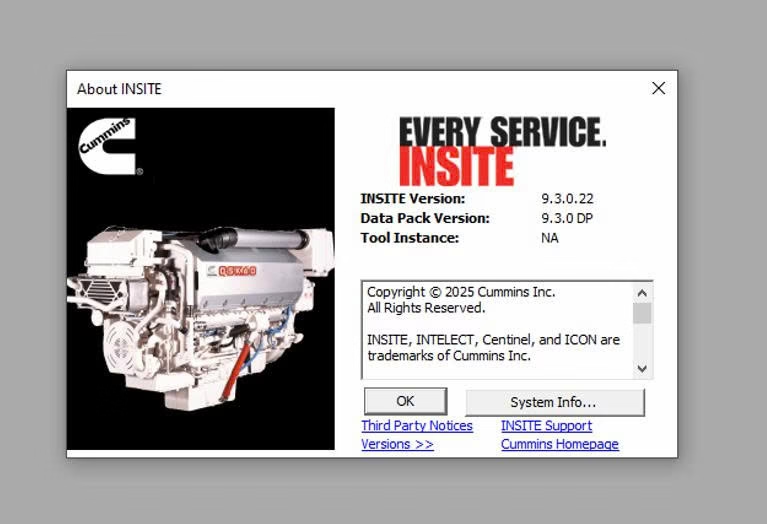
Cummins INSITE 9.3.0 is a maintenance release of Cummins’ PC-based diagnostic and calibration software. INSITE is not a body or chassis scan tool — it is the application a technician runs on a Windows laptop to connect to a Cummins electronic control module (ECM), read and clear fault codes, view live data, adjust parameters and features, run injector and cylinder cut-out tests, and download calibrations. Version 9.3 does not add headline features; it is a housekeeping build that changes platform requirements and tightens how the software handles calibrations. Here is what actually changed and what you need to run it.
Two editions: Lite vs Pro
Before anything else, know which edition you are buying, because it decides what you can do at the truck:
- INSITE Lite reads and clears fault codes and views live data only. It cannot change parameters, adjust features, or run active tests.
- INSITE Pro adds parameter and feature adjustment, calibration download, injector and cylinder tests, and diagnostic test execution.
If your work involves calibrating, tuning, or any active diagnostics, Lite will not do it. Confirm the edition before purchase.
The real 9.3.0 changes
The 9.3.0 release notes are about compatibility and compliance, not new tools:
- Microsoft .NET Framework 4.8.1 or later is now required. The installer will not proceed on an older framework.
- Calibration-compliance enforcement is active (in force since 9.1.0), so INSITE will only download calibrations authorized for the connected product.
- Current datalink adapter firmware is required — see below.
- A 32-bit compatibility cliff is coming. The next planned INSITE release (March 2026) will no longer support 32-bit operating systems. A 64-bit OS such as Windows 11 will be required to keep receiving updates for INSITE, the License Configuration Tool, and Update Manager.
If you are still on a 32-bit machine, plan the hardware move now.
Datalink adapters you actually need
This is the spec most buyers miss. INSITE 9.3.0 expects current drivers and firmware for the Cummins INLINE 7 or a USB-Link 3. The older INLINE 6 still connects but is unsupported. The INLINE I, II, and 4 are obsolete, and the INLINE Mini is not supported at all. If you are buying an adapter to pair with 9.3, get an INLINE 7 or USB-Link 3 and update its firmware first.
Calibrations come from INCAL, not INSITE
INSITE and the calibration files are two separate things. The calibrations ship through INCAL, a subscription set delivered by DVD or download, and are not bundled inside INSITE as a “data pack.” The latest calibrations require INSITE 8.8.0 or higher, which 9.3 satisfies. Budget for both INSITE and an INCAL subscription if you download calibrations.
The calibration-compliance lock and Error 27008
Since 9.1.0, INSITE blocks cross-product calibration downloads. It will only load a calibration authorized for the exact product connected. Try to push a calibration from one product onto another — for example, moving a B6.7 CM2450 ECM to an X12 CM2450 calibration through Fleet Count — and INSITE throws Error 27008 and stops. This is expected behavior, not a fault, and 9.x technicians hit it regularly.
Engine and ECM coverage
INSITE covers Cummins on-highway and related platforms, including current CM2450-controller engines such as the X15 Efficiency Series (2024), X15 Productivity Series, X12, and B6.7, along with Euro VI Step E configurations. Coverage on any specific ECM depends on having the matching calibration installed through INCAL, not on the INSITE application alone.
System requirements
The official 9.3.0 release notes list the following recommended setup:
| Operating system | Windows 10 / 11, 64-bit |
| Processor | Quad-core 2.5 GHz or faster |
| Memory | 16 GB RAM |
| Disk | 60 GB free (new install ~4.5 GB, upgrade ~2 GB) |
| Display | 1920 x 1080 |
| Ports | 2 x USB 3.0 |
| Framework | .NET Framework 4.8.1 or later |
Licensing, activation, and install
INSITE is registered and activated with license keys issued through a Cummins distributor. The license is a 12-month subscription; when it lapses, the software reverts to read-only and you lose parameter and calibration functions until it is renewed. Getting the keys, adapter firmware, .NET version, and INCAL all lined up correctly is where most setup problems happen.
If you would rather not fight the install, our team can set up and activate Cummins INSITE for you remotely over TeamViewer — software, license activation, adapter drivers, and a working connection test, all done on your own machine. Browse the full range of diesel diagnostic tools in our shop if you need more than INSITE.
Should you update to 9.3?
Yes, if you run current Cummins engines, use an INLINE 7 or USB-Link 3, and are on a supported 64-bit Windows build. Version 9.3 keeps you compatible with the newest calibrations and gets ahead of the March 2026 32-bit cutoff. Treat it as a maintenance update that keeps your setup current, not a feature upgrade.


