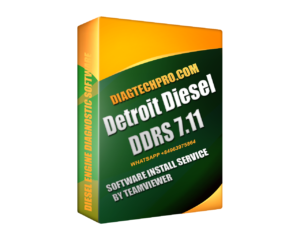
The Detroit Diesel Reprogramming System (DDRS) 7.11 is a diagnostic and reprogramming platform for Detroit Diesel electronic engines. Technicians use it to read and clear fault codes, watch live engine data, run emissions service routines, and reflash engine and transmission controllers with updated factory calibrations – work that would otherwise mean a trip to the dealer.
What DDRS 7.11 Is
DDRS stands for Detroit Diesel Reprogramming System, and 7.11 is the software version. It is not a generic scan tool; it is built specifically for Detroit Diesel and the MBE engine family. Diagnostics are only half of it. The tool’s defining capability is reprogramming – writing new manufacturer calibrations into a controller’s memory. That combination is why independent shops and fleets that service Detroit Diesel engines keep it on the bench.
What DDRS 7.11 Does
On a connected engine, DDRS 7.11 handles the day-to-day tasks a Detroit Diesel technician needs:
- Read and clear diagnostic trouble codes (DTCs) from the engine and related controllers.
- Display live engine data so you can watch sensor values and system behavior in real time.
- Run emissions and aftertreatment routines, including DPF regeneration and DEF/SCR-related checks.
- Edit ECM parameters and run service and calibration routines.
- Reprogram (reflash) DDEC and MBE controllers with updated calibration files.
The reprogramming side is what separates DDRS from a read-only scan tool. When Detroit issues an updated calibration to address a driveability or emissions concern, DDRS is the tool that writes that file to the controller – no dealer visit required.
Supported Engines and Controllers
DDRS 7.11 covers Detroit Diesel and MBE engines across the EPA07, EPA10 and GHG14 emissions families. Supported platforms include:
- Series 60 (S-60)
- MBE900 and MBE4000
- DD13, DD15 and DD16
- DDEC II, III, IV and V controllers
Older engines are not left out: pre-2007 platforms are handled through DRS 6.46, which is bundled with the package. If your shop sees a mix of legacy DDEC units and current DD-series engines, both generations are covered from the same install.
Adapters and System Requirements
DDRS 7.11 talks to a controller through an RP1210-compliant pass-thru adapter – it is not a USB-cable-only tool. A NEXIQ USB Link or a Noregon DLA+ 2.0 translator is the usual choice for programming DDEC and MBE controllers. Programming a PLD module may require the MRS reprogramming station upgrade, so confirm your hardware against the controller you plan to flash.
| Requirement | Detail |
|---|---|
| Operating system | English-language Windows (Windows XP or Windows 7) |
| Diagnostic adapter | RP1210 pass-thru – NEXIQ USB Link or Noregon DLA+ 2.0 |
| Media | Single CD / disc |
| Free disk space | About 5 GB |
DDRS vs DiagnosticLink and DDCT
Detroit ships more than one program, and the names overlap, so it is worth knowing which tool does what before you buy:
- DiagnosticLink (DDDL) is the core diagnostic application for reading faults and live data on newer Detroit engines.
- Detroit Diesel Calibration Tool (DDCT) is focused on parameter calibration.
- DDRS is focused on reprogramming and emissions diagnostics – the reflashing side of the job.
Detroit continues to update this software line – DDRS, DiagnosticLink and DDCT – to reach newer engine and emissions generations, up to GHG17 and later platforms. If you are unsure which one matches your fleet, match the tool to the controller you actually service rather than the newest version number.
Remote Installation Over TeamViewer
Reprogramming is where care matters most. Writing the wrong calibration, or losing the connection partway through a flash, can leave a controller unresponsive – so the correct adapter and a stable link are not optional extras. To keep that step clean, every DDRS 7.11 order includes remote installation and activation over TeamViewer: we set the software up on your English Windows PC, confirm it communicates through your adapter, and get you to a working diagnostic session. Browse the full diesel software catalog or reach out and we will handle the install for you.
Who It Is For
DDRS 7.11 is aimed at diesel technicians and fleet shops that service Detroit Diesel engines and want faster diagnostics plus in-house ECM reprogramming instead of routing every calibration through a dealer. With the right RP1210 adapter and a supported Windows PC, it turns fault-code reading, emissions testing, and controller reflashing into work you can complete at your own bench.

Leave a Reply