
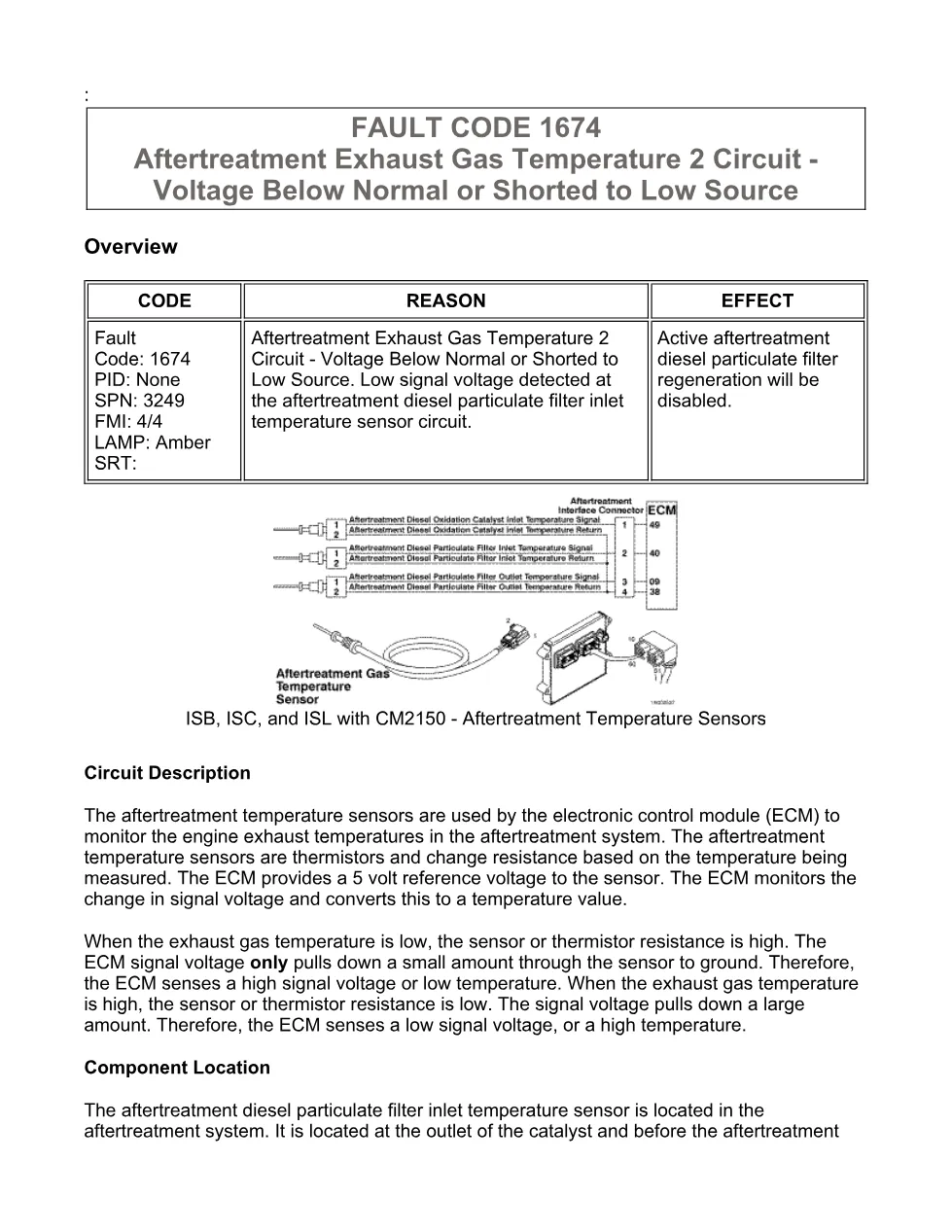
This Cummins 1674 troubleshooting document is a fault-code diagnostic manual for aftertreatment exhaust gas temperature 2 circuit voltage below normal or shorted to low source. It explains Fault Code 1674, SPN 3249 FMI 4/4, for ISB, ISC, and ISL engines with CM2150 aftertreatment temperature sensors. The procedure focuses on the diesel particulate filter inlet temperature sensor circuit, OEM harness checks, ECM connector inspection, and clearing inactive fault codes with INSITE™.
Official Cummins 1674 troubleshooting document details
| Brand | Cummins |
|---|---|
| Model coverage | ISB6.7 CM2150 (2007-09); extract also references ISB, ISC, and ISL with CM2150 |
| System/Group | DTCs; Aftertreatment Temperature Sensors |
| Publication no. | Not specified |
| Year/Revision | Last Modified: 20-Jul-2010 |
| Pages | 12 |
| File size | 0.3 MB |
| Format | |
| Language | English |
Document table of contents
- Overview
- Circuit Description
- Component Location
- FAULT CODE 1674
- Conditions for Running the Diagnostics
- Conditions for Setting the Fault Codes
- Action Taken When the Fault Code is Active
- Conditions for Clearing the Fault Code
- Shop Talk
- Associated Procedures
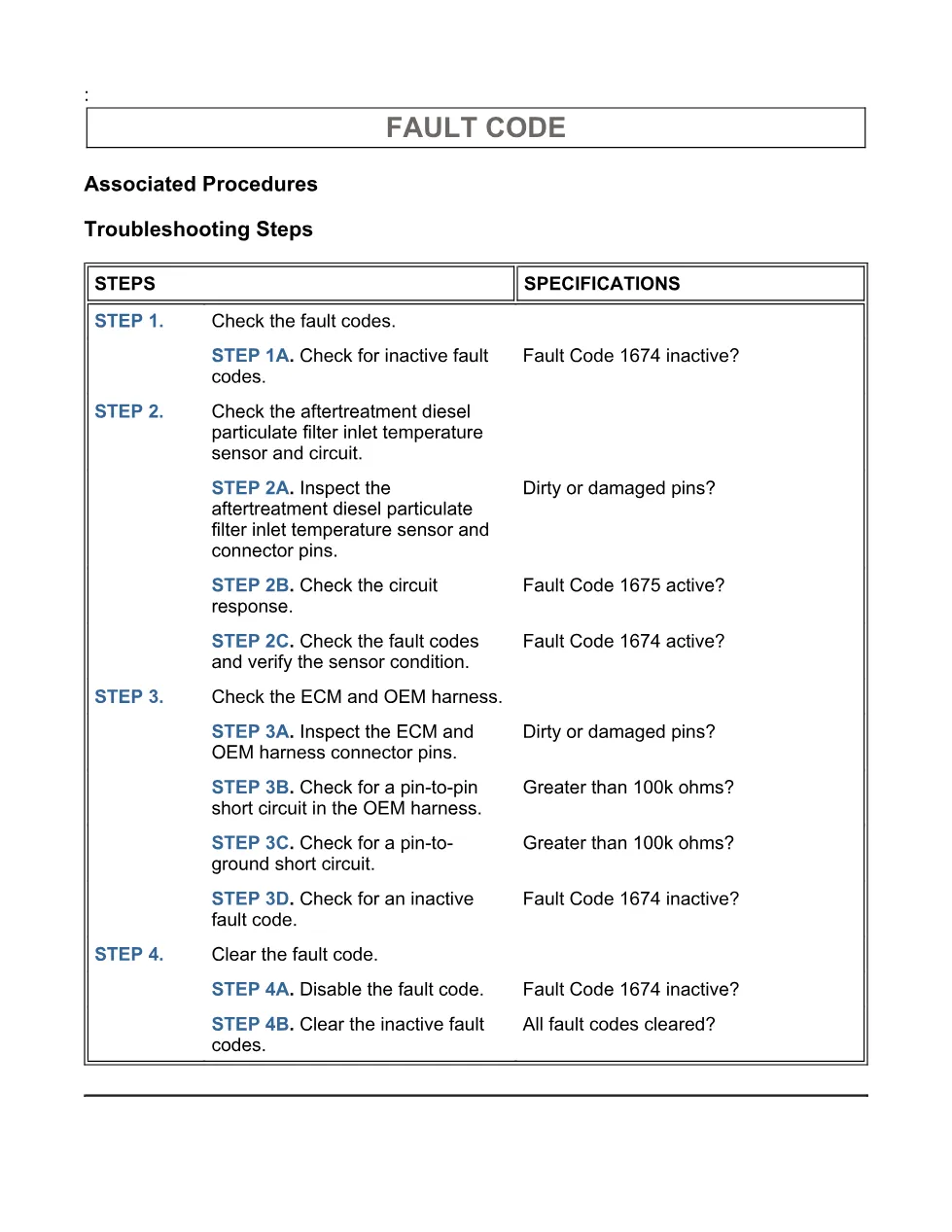
- Troubleshooting Steps
- Guided Step 1 – Check the fault codes.
- Guided Step 2 – Check the aftertreatment diesel particulate filter inlet temperature sensor and circuit.
- Guided Step 3 – Check the ECM and OEM harness.
- Guided Step 4 – Clear the fault code.
Applicable truck models
This file applies to Cummins ISB6.7 CM2150 engines in the 2007-09 coverage group and to the Cummins ISB, ISC, and ISL with CM2150 aftertreatment temperature sensor diagnostics referenced in the extract. It does not identify truck makes or chassis models; component location depends on the original equipment manufacturer troubleshooting and repair manual. For brand information, visit the official Cummins website.
Who needs this Cummins 1674 troubleshooting manual
Workshop technicians need this Cummins 1674 troubleshooting manual when an amber CHECK ENGINE light is active and Fault Code 1674 reports low signal voltage at the aftertreatment diesel particulate filter inlet temperature sensor circuit. It is useful for diesel repair shops checking sensor connector damage, pin-to-pin shorts, pin-to-ground shorts, OEM harness faults, ECM connector issues, and inactive code clearing.
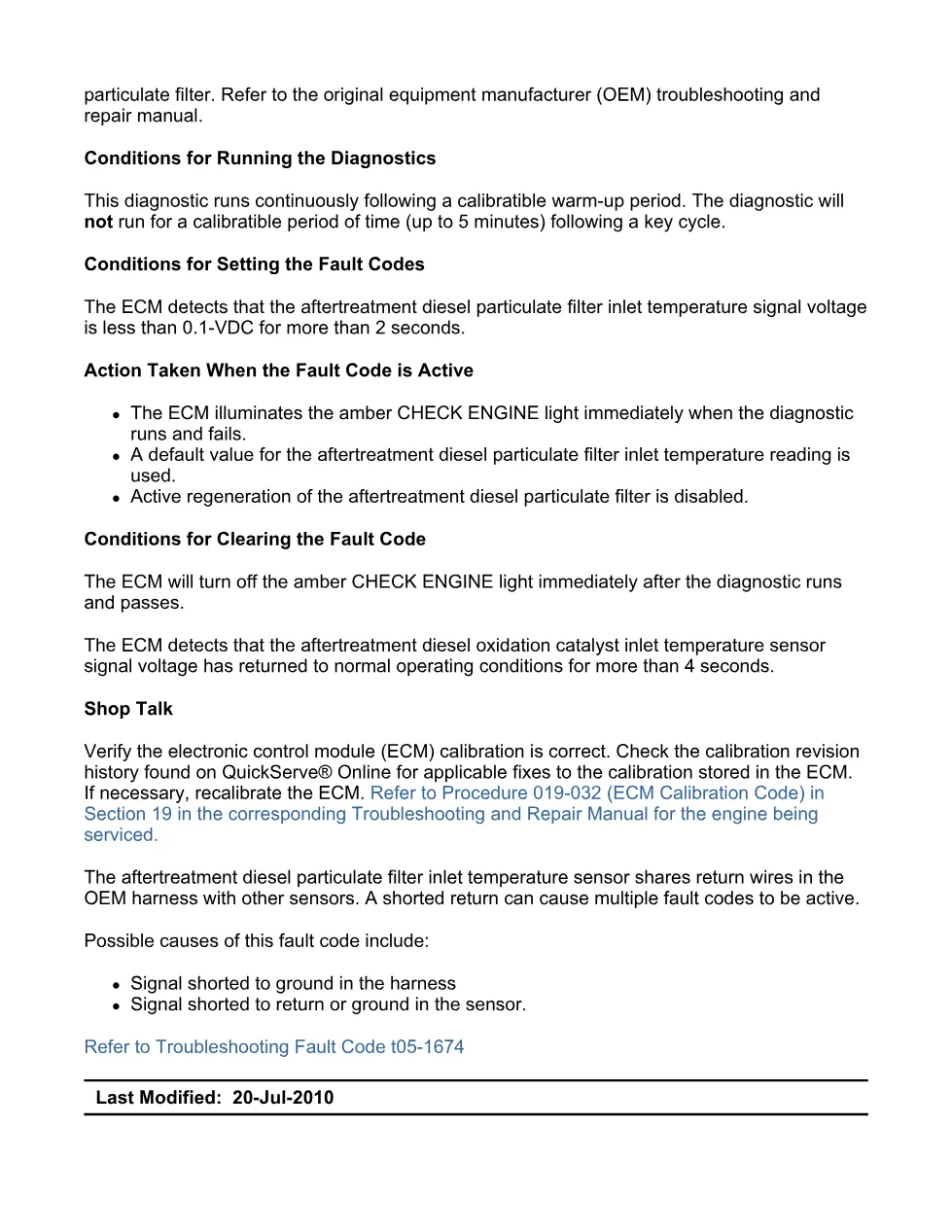
The diagnostic describes a circuit where the ECM supplies a 5 volt reference to a thermistor-style aftertreatment temperature sensor and interprets signal voltage as exhaust temperature. The fault sets when the ECM detects the diesel particulate filter inlet temperature signal voltage below 0.1-VDC for more than 2 seconds, and active aftertreatment diesel particulate filter regeneration is disabled while the fault is active. The troubleshooting path uses INSITE™ electronic service tool, engine idle above 600 rpm for 5 minutes, connector inspection, resistance checks greater than 100k ohms, OEM wiring harness repair guidance, and possible sensor replacement under Procedure 019-449.
Full PDF available in the DiagTechPro manuals library, free account required to download.
Related manuals library
Sản phẩm liên quan cho hãng này
Cùng brand theo taxonomy hiện có trong catalog WooCommerce.

Cummins INSITE 10.2 – Latest Diagnostic Software for Cummins Engines

Cummins Calterm Version 5.16 – Advanced ECM Control and Precision Tuning for Cummins Engines
Cummins InCal CE – The Calibration and Configuration Tool for Cummins Engines