
This CAT C15 low oil pressure troubleshooting document provides a complete diagnostic procedure for resolving DTC 0100-01 (Event Code 46) on Caterpillar C15 on-highway truck engines. It covers the conditions that trigger the warning, system response behavior, and a structured nine-step test sequence to isolate electrical and mechanical root causes.
Official CAT C15 low oil pressure document details
| Brand | Caterpillar (CAT) |
| Model coverage | C15 Truck Engine MXS (MXS00001-UP) |
| System / Group | Engine Oil Pressure — SMCS 1439-038-OC; 1924-038 |
| Publication no. | RENR5088-10 |
| Year / Revision | Published 01/02/2009, Updated 25/02/2009 |
| Pages | 7 |
| File size | 0.1 MB |
| Format | |
| Language | English |
Document table of contents
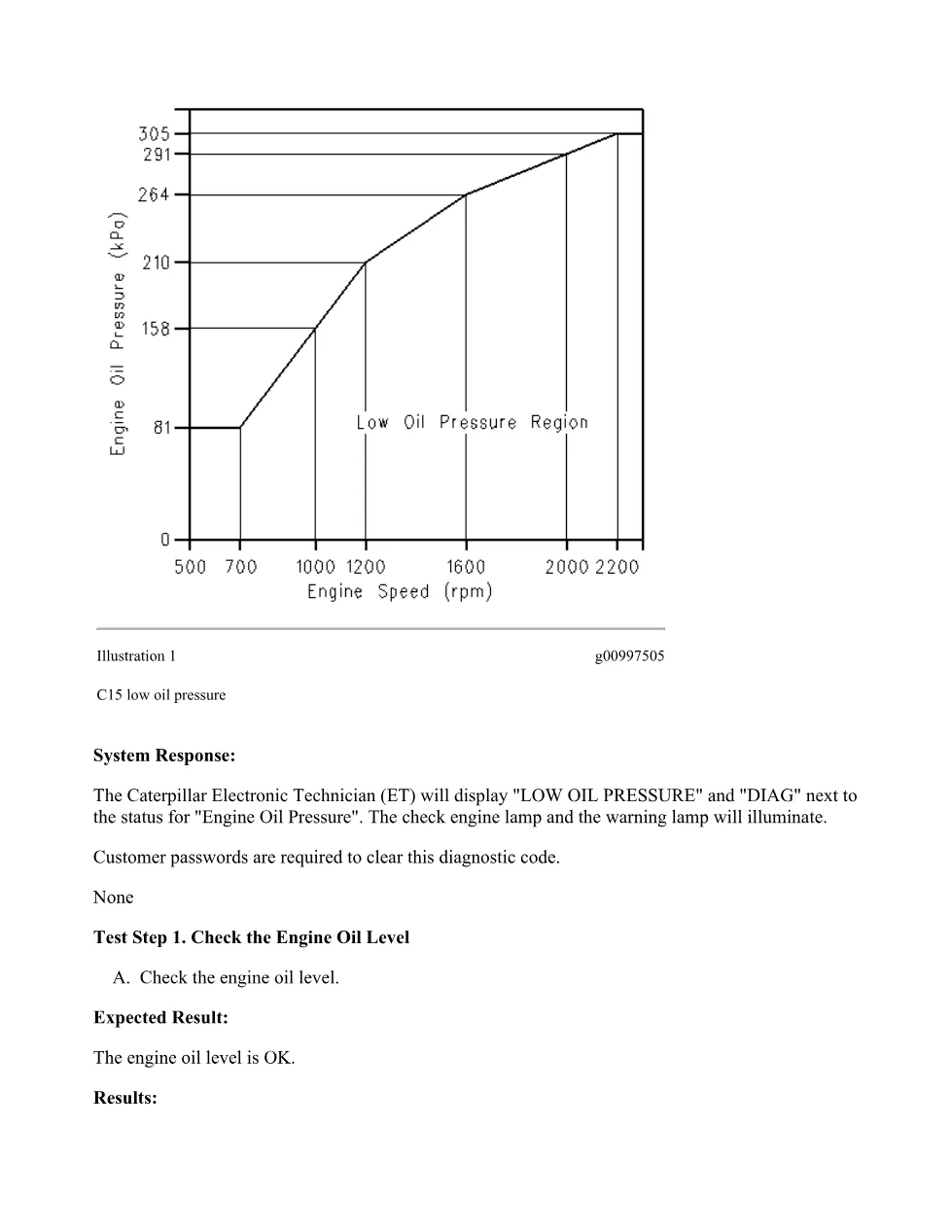
- Conditions Which Generate This Code — DTC 0100-01 trigger criteria and oil pressure trip line (Illustration 1)
- System Response — Cat ET status display, check engine lamp, and warning lamp behavior
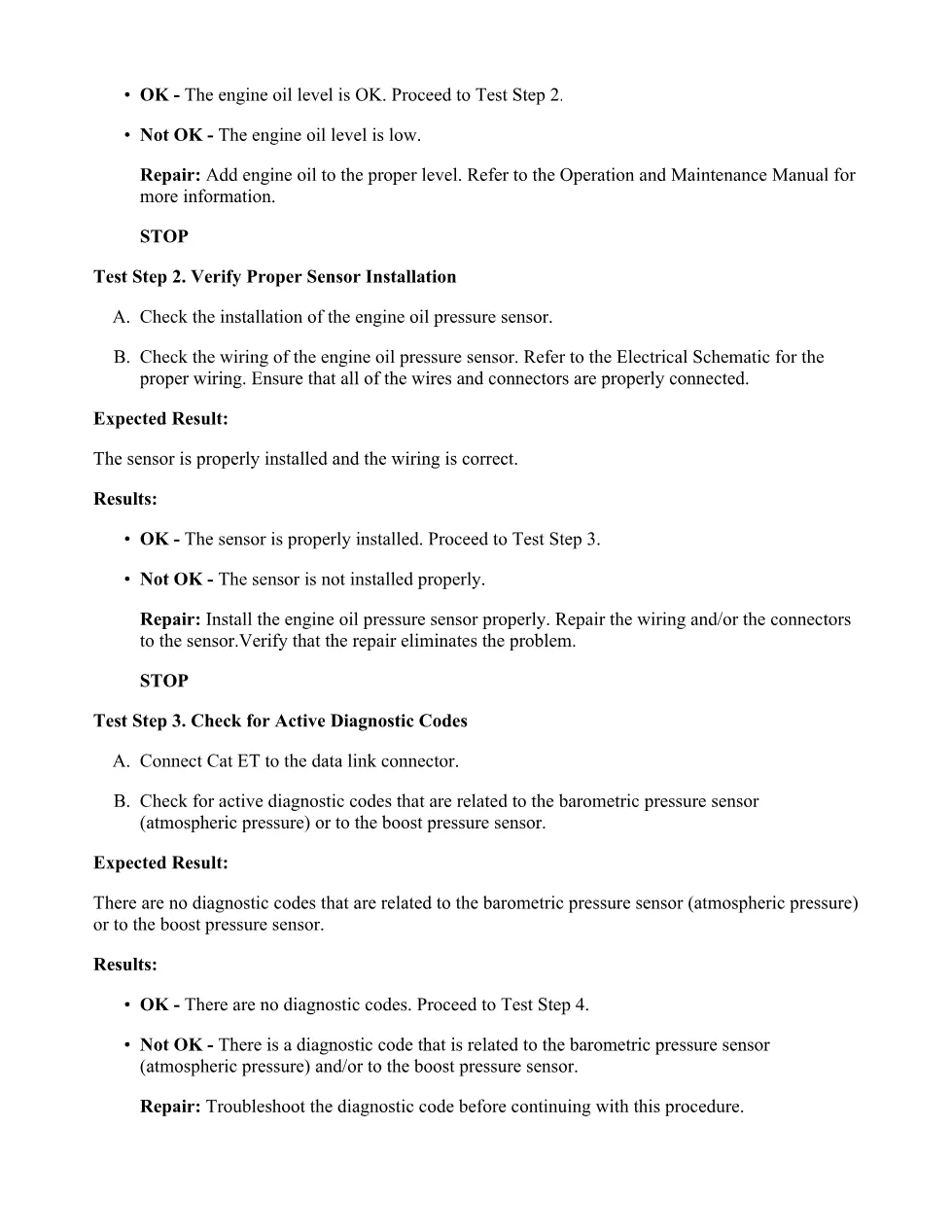
- Test Step 1: Check the Engine Oil Level
- Test Step 2: Verify Proper Sensor Installation
- Test Step 3: Check for Active Diagnostic Codes (barometric pressure sensor, boost pressure sensor)
- Test Step 4: Check the Status Screen — boost pressure and engine oil pressure readings via Cat ET
- Test Step 5: Check the Supply Voltage to the Pressure Sensors (5.0 ± 0.16 VDC)
- Test Step 6: Install a Pressure Gauge — 1U-5470 Engine Pressure Group, compare gauge to Cat ET
- Test Step 7: Compare the Readings to the Oil Pressure Map
- Test Step 8: Check the Supply Voltage to the Boost Pressure Sensor
- Test Step 9: Check the Supply Voltage to the Engine Oil Pressure Sensor
Applicable truck models
This procedure applies to Caterpillar C15 on-highway truck engines with serial prefix MXS (configuration MXS00001-UP). The extract also references NKS and RKS serial prefixes within the C15 engine family. The diagnostic code and test steps are specific to engines equipped with the Caterpillar ECM and pressure sensor circuits described in the RENR5088-10 electrical schematic. The procedure requires Caterpillar Electronic Technician (Cat ET) software and a 1U-5470 Engine Pressure Group for mechanical verification. For additional product support and technical resources, visit Caterpillar’s official support page.
Who needs this CAT C15 low oil pressure manual
Diesel technicians and workshop owners working on C15-powered trucks will use this guide when the ECM logs DTC 0100-01 and the check engine and warning lamps illuminate. The step-by-step format lets you move from simple oil level checks through sensor wiring verification, 5-volt supply measurement, and mechanical oil pressure testing without skipping critical diagnostics.
The full PDF is available in the DiagTechPro manuals library; a free account is required to download.
Related manuals library
Sản phẩm liên quan cho hãng này
Cùng brand theo taxonomy hiện có trong catalog WooCommerce.
CAT Perkins Pack – Premium Power & Performance by Caterpillar
CAT SIS