
This document is a fault code 287 DTCs troubleshooting manual for SAE J1939 multiplexed accelerator pedal or lever sensor network data errors. It explains the circuit description, fault conditions, ECM response, INSITE checks, OEM VECU configuration review, and fault clearing steps for the listed Cummins CM2150 coverage.
Official fault code 287 DTCs document details
| Brand | Cummins |
|---|---|
| Model coverage | ISB6.7 CM2150 (2007-09); extract also identifies ISB, ISC and ISL with CM2150 |
| System/Group | DTCs; SAE J1939 Multiplexed Accelerator Pedal or Lever Sensor System |
| Year/Revision | Last Modified: 20-Jul-2010 |
| Pages | 9 |
| File size | 0.2 MB |
| Format | |
| Language | English |
Document table of contents
- Overview
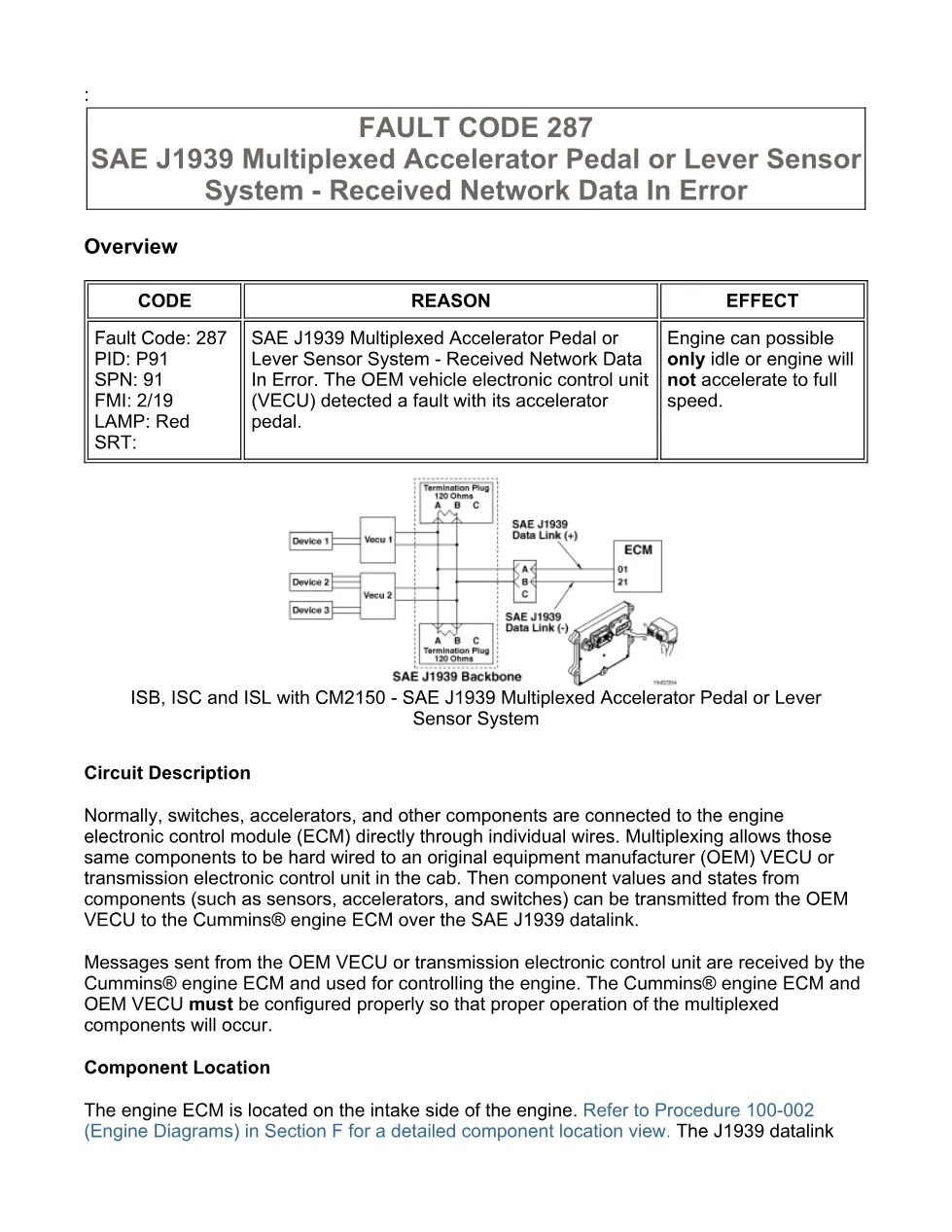
- Circuit Description
- Component Location
- Conditions for Running the Diagnostics
- Conditions for Setting the Fault Codes
- Action Taken When the Fault Code is Active
- Conditions for Clearing the Fault Code
- Shop Talk
- Associated Procedures
- Troubleshooting Steps
- Guided Step 1 – Check the fault codes.
- Guided Step 2 – Check the OEM VECU and engine ECM for proper multiplexing configuration.
- Guided Step 3 – Monitor the accelerator parameters with INSITE™ electronic service tool.
- Guided Step 4 – Clear the fault code.
Applicable truck models
This file applies to Cummins ISB6.7 CM2150 engines in the 2007-09 coverage group, and the extract also names ISB, ISC and ISL with CM2150 for this SAE J1939 multiplexed accelerator pedal or lever sensor system fault. The truck OEM, VECU location, datalink wiring, and vehicle configuration vary by OEM, so the procedure directs technicians to compare OEM VECU multiplexed component enables and source addresses with the engine ECM configuration. See the manufacturer at Cummins official website.
Who needs this fault code 287 DTCs manual
Workshop owners, diesel mechanics, and diagnostic technicians need this fault code 287 DTCs manual when an engine can possibly only idle or will not accelerate to full speed due to accelerator pedal data errors over the SAE J1939 datalink. The procedure is especially useful when checking INSITE™ monitor values for Percent Throttle and Throttle Status/Idle Validation, confirming OEM VECU setup, and deciding whether the issue is in the accelerator, idle validation switch, OEM VECU, or ECM configuration.
The diagnostic states that the fault runs continuously with the keyswitch ON. Setting conditions include accelerator position and idle validation disagreement, or an accelerator signal line detected by the OEM VECU as shorted high or shorted low. When active, the ECM illuminates the amber CHECK ENGINE light immediately and the multiplexed device will not operate. The document also notes related Fault Code 285 or 286 possibilities if setup, other components, accelerator and idle validation inputs, or the datalink are damaged.
Full PDF available in the DiagTechPro manuals library, free account required to download.
Related manuals library
Sản phẩm liên quan cho hãng này
Cùng brand theo taxonomy hiện có trong catalog WooCommerce.

Cummins Calterm Version 5.16 – Advanced ECM Control and Precision Tuning for Cummins Engines

Cummins INSITE 9.3 – The Essential Diagnostic Tool for Cummins Engines

Cummins InCal CE – The Calibration and Configuration Tool for Cummins Engines


