
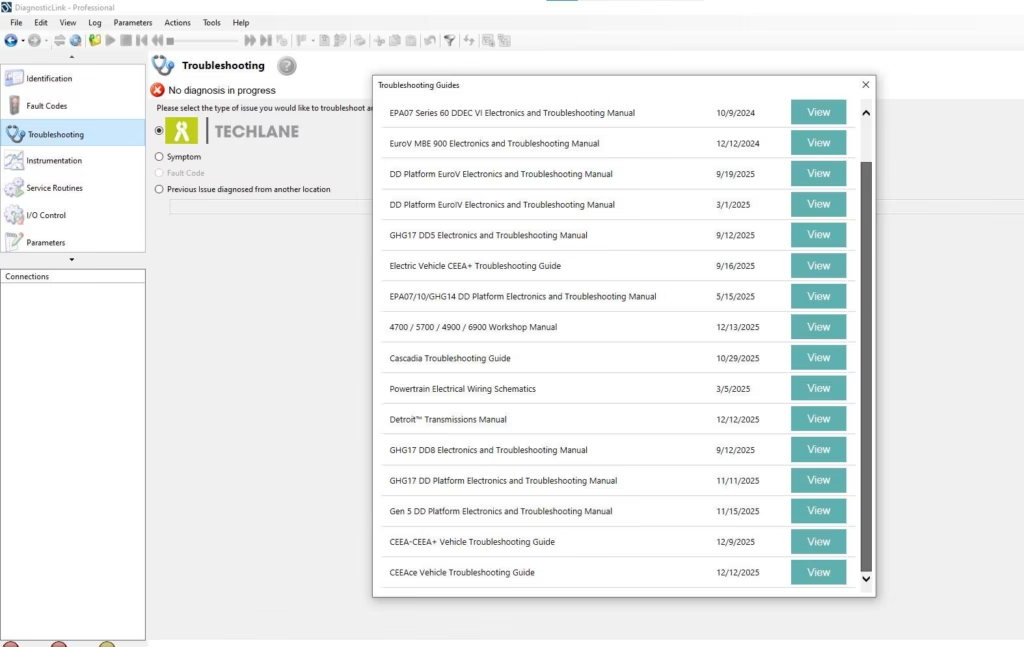
Working with Detroit Diesel engines requires consistency, accuracy, and stable diagnostic workflows. Over time, many technicians realize that diagnostic efficiency is influenced not only by engine knowledge, but also by how well the diagnostic software fits real working conditions. Based on daily hands-on use, DiagnosticLink 8.23 has become a common reference point in workshops handling newer Detroit Diesel platforms.
Rather than focusing on software descriptions, this article shares practical experience gained from real diagnostic scenarios, highlighting what technicians should expect when DiagnosticLink 8.23 becomes part of regular operations.
Adapting Daily Workflow to DiagnosticLink 8.23
One noticeable difference when working with DiagnosticLink 8.23 is how diagnostic routines integrate into modern Detroit Diesel service processes. In real use, technicians often find that older workflows need adjustment rather than direct reuse. Tasks such as ECU communication, fault verification, and parameter monitoring tend to require more structured preparation.
For example, ensuring correct adapter recognition and stable system configuration before connecting becomes essential. Skipping these checks often leads to unnecessary troubleshooting time. With DiagnosticLink 8.23, disciplined setup habits significantly improve daily productivity.
Communication Stability in Real Conditions
In practical environments, diagnostic interruptions are rarely caused by engine faults alone. Workshop experience shows that system stability plays a critical role. DiagnosticLink 8.23 performs best when technicians pay attention to environmental factors such as operating system consistency, driver conflicts, and background applications.
During long diagnostic sessions, stable communication with Detroit Diesel control modules reduces repeated reconnect attempts. Many technicians report smoother workflows when they treat DiagnosticLink 8.23 as part of a controlled diagnostic environment rather than a standalone tool.
Handling Common Diagnostic Scenarios
Real-world use often involves repetitive diagnostic situations: inactive fault codes, intermittent communication loss, or delayed parameter updates. With DiagnosticLink 8.23, experienced users learn to approach these scenarios methodically.
Instead of immediately assuming software failure, checking system readiness and connection sequencing usually resolves issues faster. Over time, technicians develop a routine that aligns well with DiagnosticLink 8.23 behavior, reducing downtime during diagnostics.
Learning Curve and Practical Familiarity
DiagnosticLink 8.23 does not demand advanced learning, but it does reward familiarity. Daily use builds understanding of how the software responds under different diagnostic loads. Experienced technicians often emphasize that consistent usage is the key to efficiency rather than constant adjustments.
This familiarity also helps when working across different Detroit Diesel engine generations, allowing smoother transitions between diagnostic tasks without workflow disruption.
When DiagnosticLink 8.23 Fits Best
From experience, DiagnosticLink 8.23 is most effective in structured diagnostic environments where system control and preparation are prioritized. Workshops that standardize their diagnostic process tend to experience fewer interruptions and more reliable results.
Rather than treating diagnostics as trial-and-error, experienced users align their workflow with the expected behavior of DiagnosticLink 8.23, leading to more predictable outcomes during Detroit Diesel servicing.
Conclusion
From hands-on experience, efficiency when working with Detroit Diesel engines depends heavily on how well diagnostic routines are aligned with real workshop conditions. DiagnosticLink 8.23 fits best when technicians approach diagnostics with preparation, consistency, and a structured workflow. Rather than relying on trial-and-error, experienced users tend to integrate DiagnosticLink 8.23 into a stable working environment, allowing diagnostic sessions to remain predictable and controlled.


