
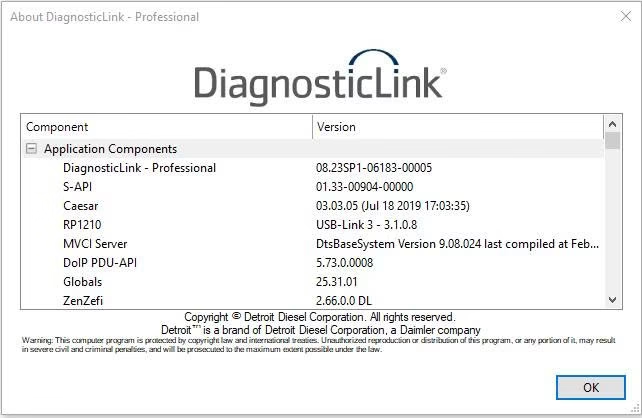
In practical workshop environments, choosing the right diagnostic software is less about marketing claims and more about operational suitability. From a technical perspective, DiagnosticLink 8.23 tends to be most effective in specific working scenarios where system stability, diagnostic consistency, and controlled workflows are required. Understanding when DiagnosticLink 8.23 fits best helps technicians avoid unnecessary troubleshooting and workflow disruption.
Rather than treating software selection as a one-size-fits-all decision, experienced technicians often evaluate DiagnosticLink 8.23 based on the type of diagnostic tasks and engine platforms they regularly encounter.
Structured Diagnostic Environments
DiagnosticLink 8.23 performs most reliably in workshops that maintain structured diagnostic procedures. In these environments, system configuration, adapter setup, and connection sequencing are standardized. This structure reduces communication inconsistencies and allows diagnostic sessions to proceed without repeated resets.
When technicians follow a defined diagnostic routine, DiagnosticLink 8.23 integrates smoothly into daily operations. Unstructured or improvised workflows, on the other hand, tend to introduce variables that negatively affect diagnostic stability regardless of software version.
Working With Newer Detroit Diesel Platforms
From a technical standpoint, DiagnosticLink 8.23 is particularly suitable when servicing newer Detroit Diesel systems that require consistent module communication. These platforms often involve more complex control logic, making stable diagnostic communication essential.
In such cases, DiagnosticLink 8.23 supports a diagnostic approach that emphasizes verification and confirmation rather than guesswork. Technicians working primarily with modern Detroit Diesel engines benefit from predictable diagnostic behavior, especially during extended sessions.
Multi-Module Diagnostic Scenarios
Another situation where DiagnosticLink 8.23 fits well is in multi-module diagnostic workflows. When multiple control units must be accessed within the same session, maintaining communication stability becomes critical.
Technicians frequently observe that DiagnosticLink 8.23 handles these scenarios more effectively when the diagnostic environment is controlled. Consistent performance across multiple modules reduces the need to restart sessions and minimizes workflow interruptions.
Diagnostic Sessions Requiring Repetition and Validation
Certain diagnostic tasks involve repeated fault verification, parameter monitoring, or system checks. DiagnosticLink 8.23 is well-suited for these scenarios, where consistency over time is more valuable than quick, one-time scans.
In practice, technicians find that DiagnosticLink 8.23 supports a methodical diagnostic approach, allowing them to confirm results without constant reconnection. This reliability becomes increasingly important during troubleshooting processes that require validation rather than immediate conclusions.
When DiagnosticLink 8.23 May Not Be Ideal
From a technical perspective, DiagnosticLink 8.23 may be less suitable in environments lacking system control or standardization. Inconsistent operating systems, unstable adapters, or poorly maintained diagnostic setups often lead to issues that cannot be resolved through software selection alone.
In such cases, improving the diagnostic environment itself is usually more effective than changing software versions. DiagnosticLink 8.23 performs best when underlying technical conditions are properly managed.
Technical Conclusion
DiagnosticLink 8.23 fits best in controlled diagnostic environments where structured workflows, stable system configurations, and modern Detroit Diesel platforms are the norm. From a technical viewpoint, its strength lies in supporting consistent diagnostic routines rather than compensating for unstable working conditions.


