

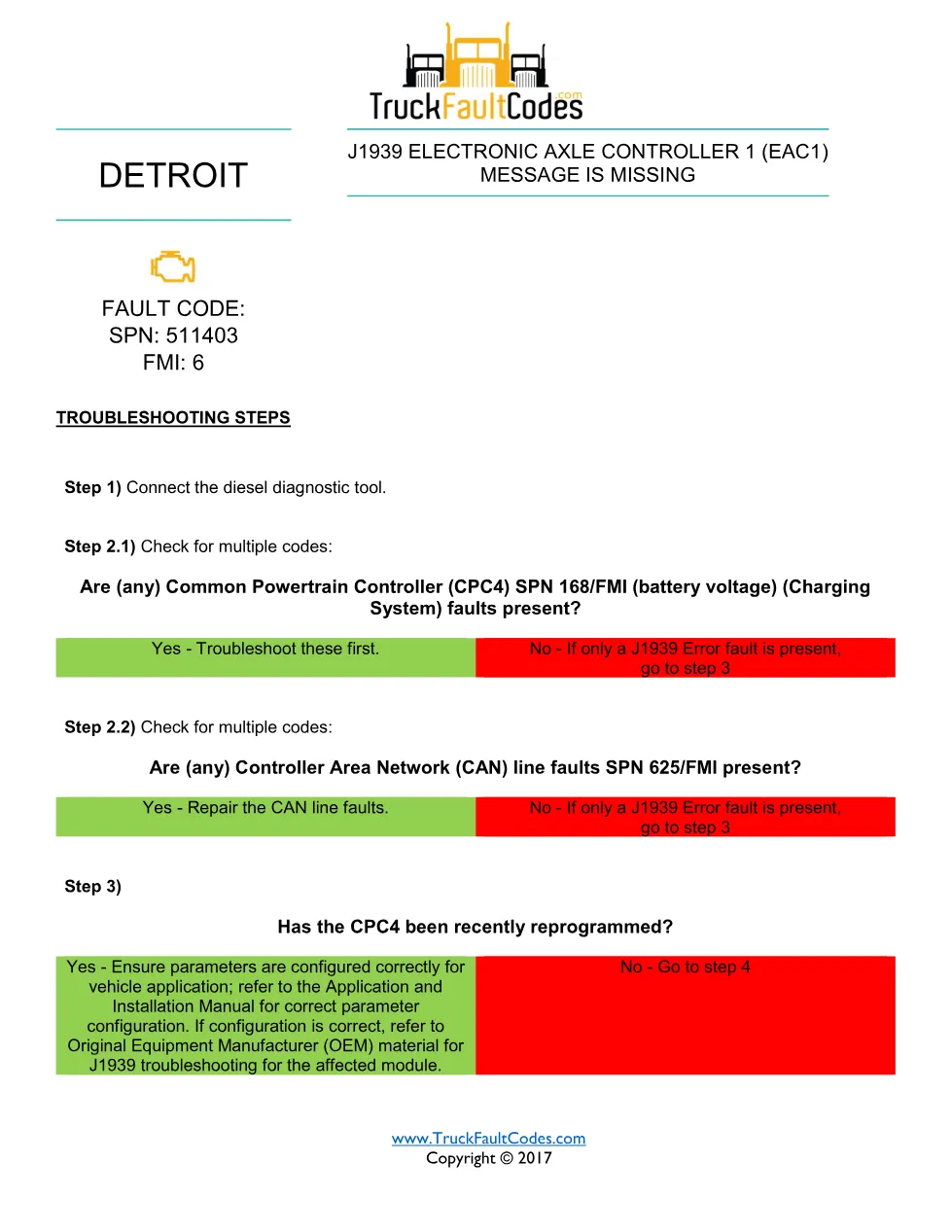
The Detroit EAC1 message missing document is a Detroit fault code reference that explains a missing J1939 Electronic Axle Controller 1 (EAC1) message on the powertrain CAN bus, published for DD Series engines under SPN 511403 FMI 6 (GHG14). It gives workshop technicians the diagnostic sequence used to confirm the condition and return the truck to service, sourced from Detroit Power Service Literature.
Official document details
| Brand | Detroit (Detroit Diesel) |
| Model coverage | DD Series (EPA 2007-Current) and Series 60 (DDEC VI) |
| System / Group | Diagnostic Trouble Codes (DTCs) |
| Fault code | SPN 511403 / FMI 6 |
| Emissions family | GHG14 |
| Pages | 2 |
| File size | 0.2 MB |
| Format | |
| Language | English |
Document table of contents
- Fault code identification — SPN 511403 / FMI 6
- J1939 EAC1 message description
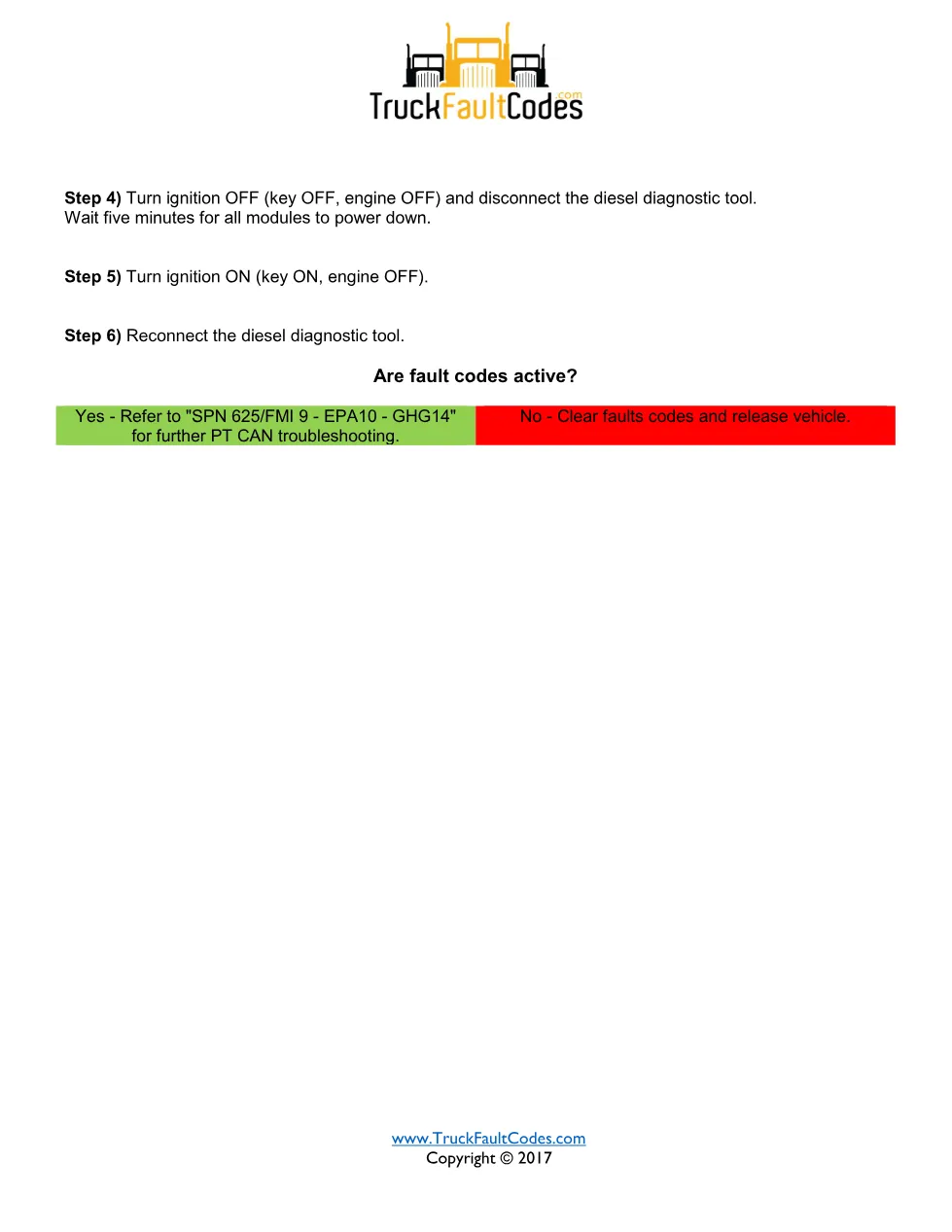
- Troubleshooting steps 1 to 6
- CPC4 and CAN line fault checks
- Clearing codes and releasing the vehicle
Troubleshooting the Detroit EAC1 message missing code
The procedure starts by connecting a diesel diagnostic tool, then checking for other codes such as Common Powertrain Controller (CPC4) SPN 168 battery-voltage faults and Controller Area Network SPN 625 line faults, which are repaired first. It then asks whether the CPC4 was recently reprogrammed, and if the fault stays active after a five-minute power-down and ignition cycle it directs the technician to the SPN 625/FMI 9 PT CAN routine.
Applicable truck models and engines
This diagnostic sheet applies to Detroit DD Series diesel engines built to EPA 2007 through current emissions standards, and the covered fault also appears on Series 60 (DDEC VI) applications listed in the source. Confirm the exact engine family and calibration against the vehicle before making repairs, and cross-check the specifications on the official Demand Detroit website.
Who needs this Detroit EAC1 message missing manual
Heavy-duty truck technicians, fleet maintenance staff and workshop owners diagnosing SPN 511403 FMI 6 with a diesel diagnostic tool will use this sheet to follow the correct steps rather than replacing parts by guesswork.
The full PDF is available in the DiagTechPro manuals library; a free account is required to download it.
Related manuals library
Sản phẩm liên quan cho hãng này
Cùng brand theo taxonomy hiện có trong catalog WooCommerce.
Detroit Diesel Reports 6.3
Detroit Reprogramming Station (DDRS) 7.11

DDDL Backdoor Password: A Comprehensive Guide