

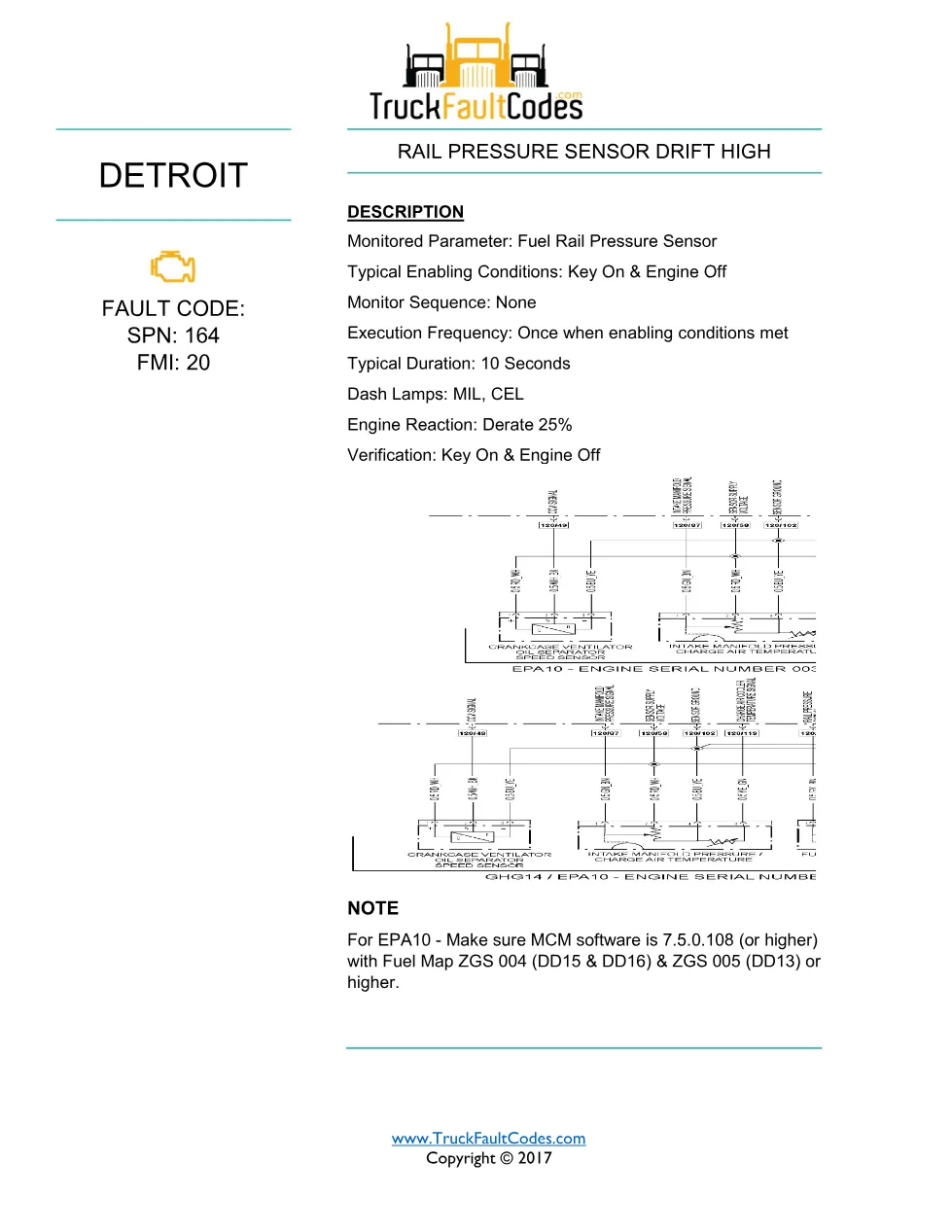
SPN 164 FMI 20 is the Detroit DD Series diagnostic trouble code for rail pressure sensor drift high, and this page documents its official fuel rail pressure sensor circuit troubleshooting sheet. The three-page sheet notes the required MCM software level and fuel map for EPA10, lists a 25% derate with MIL and CEL, then walks the fuel rail pressure sensor and Motor Control Module (MCM) harness checks.
SPN 164 FMI 20 document details
| Brand | Detroit |
| Model coverage | DD Series — DD13, DD15, DD16 |
| System / group | DD Series (EPA 2007-Current) / DTCs |
| SPN | 164 |
| FMI | 20 |
| Fault | Rail Pressure Sensor Drift High |
| Emissions / revision | EPA10, GHG14 — Copyright 2017 |
| Pages | 3 |
| File size | 0.4 MB |
| Format | |
| Language | English |
Document table of contents
- Description, MCM software note and engine derate
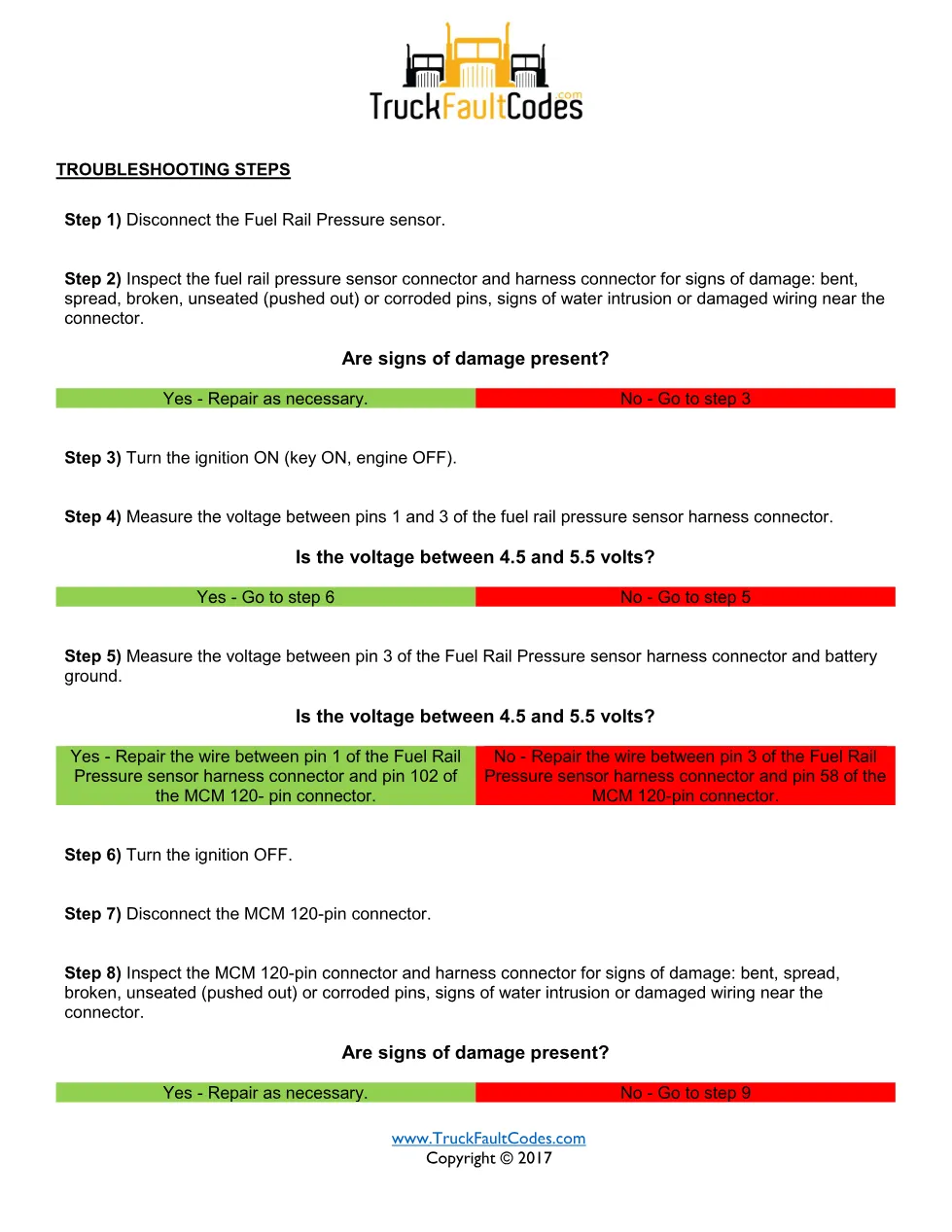
- Sensor disconnection and connector inspection
- Harness voltage measurement (pins 1 and 3)
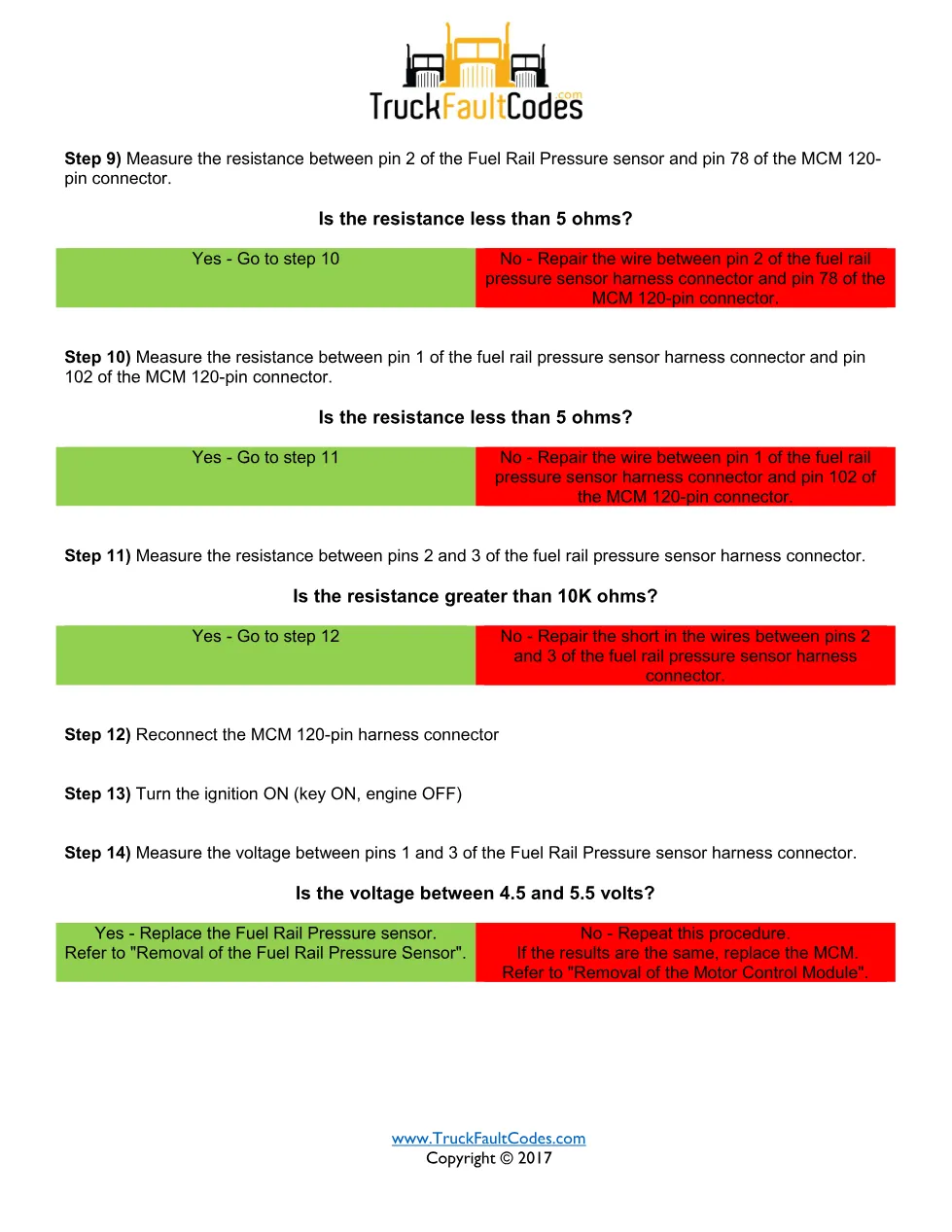
- MCM 120-pin connector resistance checks
- Sensor or MCM replacement decision
Troubleshooting steps summarised
With the sensor disconnected and inspected, the technician measures 4.5 to 5.5 volts between pins 1 and 3 of the harness connector with the ignition ON. The sheet verifies the supply and signal wires to pins 102, 58 and 78 of the MCM 120-pin connector, checks circuit resistance below 5 ohms and signal-to-supply resistance above 10K ohms, and re-tests before replacing the sensor or the MCM.
Applicable truck models covered
It covers Detroit DD Series engines (DD13, DD15 and DD16) built to EPA10 emissions with GHG14 hardware; the sheet specifies MCM software 7.5.0.108 or higher with the correct fuel-map ZGS. For engine specifications and warranty coverage, refer to the official Demand Detroit service resources. These troubleshooting steps are cross-checked with the Detroit Diesel Diagnostic Link (DDDL) and the official Demand Detroit service resources.
Who needs this SPN 164 FMI 20 guide
Technicians facing a high-drifting rail-pressure signal after a software or fuel-map update use this sheet to confirm calibration and isolate wiring from sensor faults.
The full PDF is available in the DiagTechPro manuals library; a free account is required to download the complete step-by-step document.
Related manuals library
Sản phẩm liên quan cho hãng này
Cùng brand theo taxonomy hiện có trong catalog WooCommerce.
Detroit Diesel Reports 6.3
Detroit Reprogramming Station (DDRS) 7.11

DDDL Backdoor Password: A Comprehensive Guide